
How to Integrate AI Agents with Salesforce
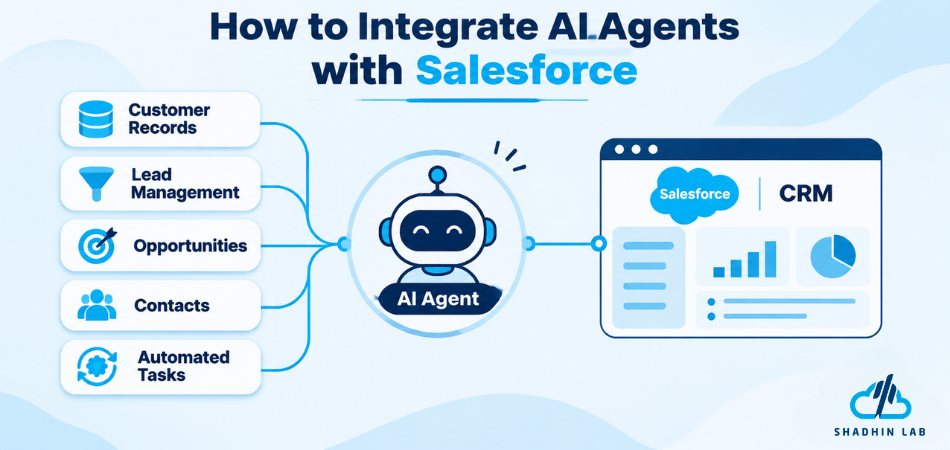
Table of Contents
Sales teams often spend hours retrieving customer information, updating CRM records, summarizing interactions, and managing follow-up tasks. An AI agent connected to Salesforce can automate many of these activities by retrieving relevant data, interpreting business requests, and executing approved CRM operations.
An AI agents Salesforce integration connects an AI-powered application to Salesforce through APIs, actions, or integration platforms. This allows an agent to work with customer records and business processes instead of simply answering questions. The right integration requires a suitable architecture, secure authentication, controlled tool execution, and reliable testing.
Table of Contents
Key Takeaways
- AI agents can retrieve, create, update, and analyze Salesforce CRM records through authorized APIs and integration tools.
- Salesforce REST APIs, Flow, Apex, Agentforce, and middleware provide different integration approaches.
- External AI agents and Salesforce-native Agentforce agents are separate integration options with different architectures.
- A controlled integration layer should validate agent requests, enforce permissions, and handle API operations.
- Secure AI agent integration requires authentication, authorization, input validation, monitoring, and human approval for sensitive actions.
What Is AI Agent Integration with Salesforce?
AI agent integration with Salesforce connects an AI agent to CRM data, functionality, and business processes so it can perform tasks based on user requests or business events.
Unlike a traditional chatbot that primarily responds to questions, an AI agent can select tools, retrieve information, interpret results, and execute actions within an approved workflow. For example, a sales agent could ask an AI agent to review a prospect’s recent interactions, summarize the account history, and update a lead’s status in Salesforce.
The integration makes these operations possible by connecting the agent to Salesforce data and functionality through APIs or other supported tools.
There are two primary integration directions:
- External AI agent to Salesforce: A custom AI agent built using an external framework or AI platform connects to Salesforce through APIs or an integration layer. This approach allows businesses to integrate Salesforce with custom AI applications and other enterprise systems.
- Salesforce Agentforce to external applications: An agent built within Salesforce uses configured actions, APIs, or integration tools to interact with external applications and services.
These approaches serve different purposes. An external agent may use Salesforce as one of several business systems, while Agentforce provides Salesforce-native agent capabilities.
The focus of this guide is connecting external or custom AI agents to Salesforce, while also explaining Agentforce and hybrid integration options.
How Does Salesforce AI Agent Integration Work?
An AI agent typically interacts with Salesforce through an application or orchestration layer that manages tool execution, authentication, API requests, and responses.
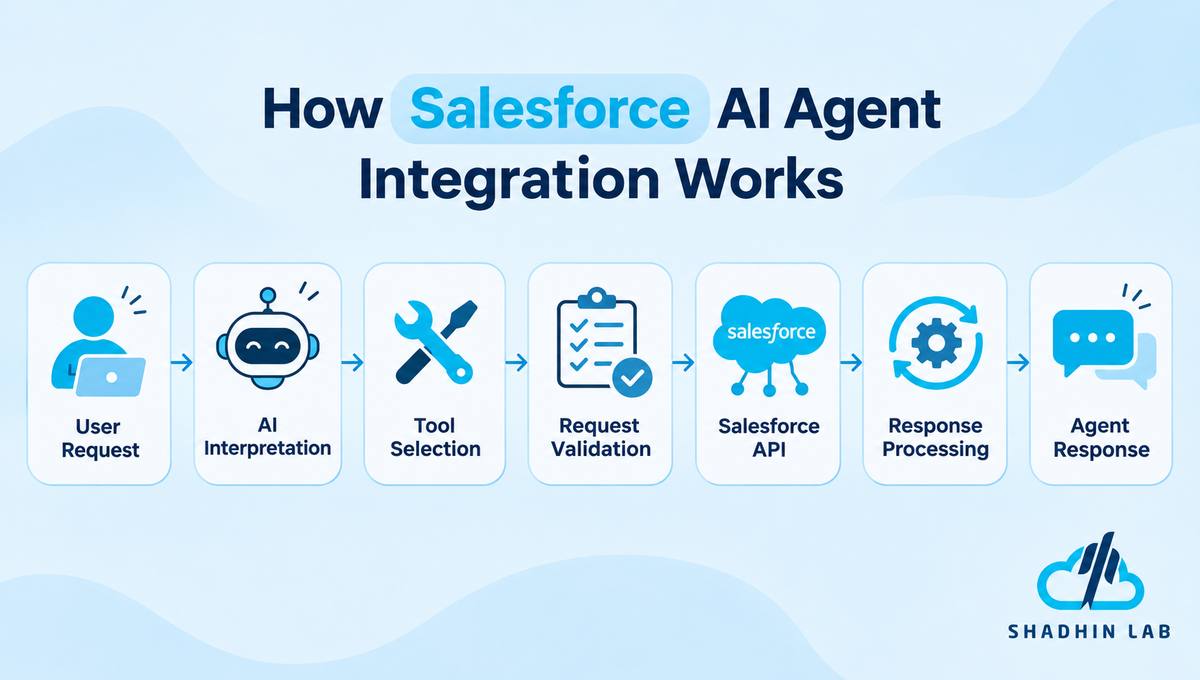
The integration workflow generally follows these steps:
- Request initiation: A user submits a request or a business event triggers an agent workflow.
- Request interpretation: The AI agent interprets the request and identifies the Salesforce operation required.
- Tool selection: The agent selects an available tool, such as retrieving a lead or updating an opportunity.
- Request validation: The integration layer checks the tool parameters, permissions, and business rules.
- Salesforce API execution: The integration layer authenticates and submits the request to Salesforce.
- Response processing: Salesforce returns the requested data or operation status.
- Agent response: The agent interprets the result, provides a response, or continues the workflow.
For example, a sales representative might ask an agent to review a prospect’s latest interactions and update an opportunity.
The agent retrieves the relevant Salesforce records, summarizes the activity, identifies the requested change, and submits the update through an authorized integration. If the change requires approval, the workflow pauses until the appropriate person confirms it.
This architecture separates the AI agent’s reasoning from the execution of CRM operations. The integration layer controls what the agent can access and which actions it can perform.
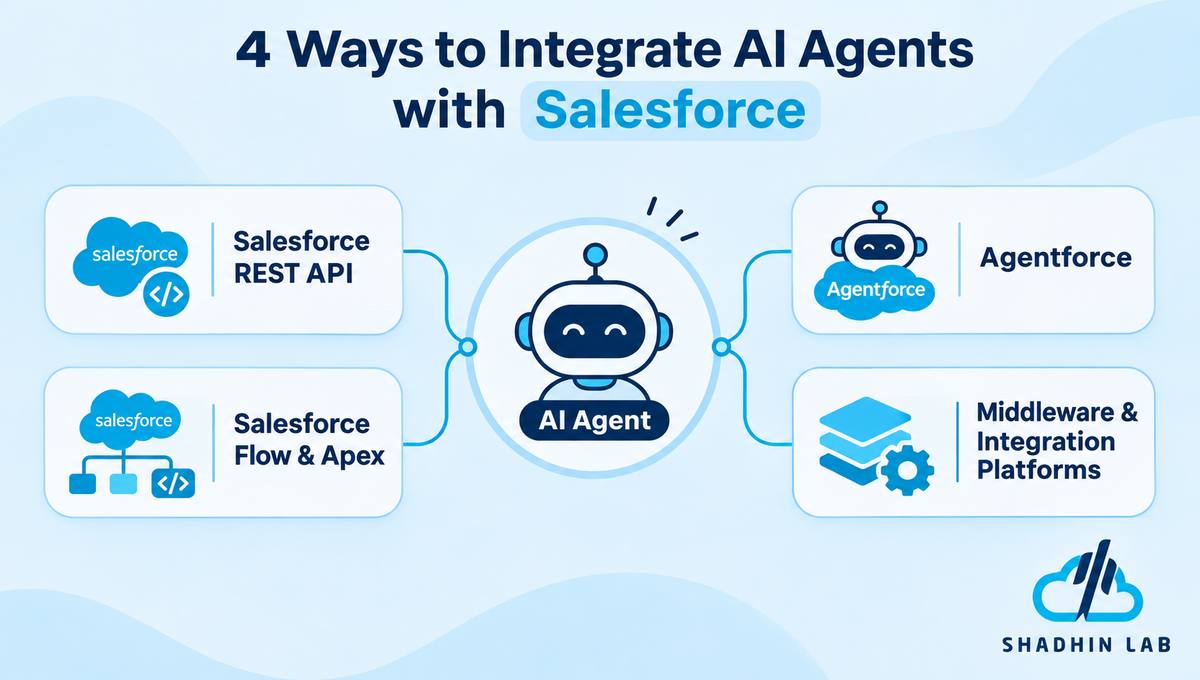
4 Ways to Integrate AI Agents with Salesforce
Businesses can connect AI agents to Salesforce using different technologies. The right approach depends on the agent’s architecture, business requirements, development resources, integration complexity, and security needs.
1. Salesforce REST API Integration
The Salesforce REST API is one of the most common approaches for connecting an external AI agent to Salesforce.
REST APIs allow applications to interact with Salesforce objects and records through HTTP requests. An external application can retrieve, create, update, or perform other supported operations on CRM data.
For example, a custom AI agent could use the REST API to:
- Retrieve Lead, Contact, Account, and Opportunity records.
- Search for customer information.
- Update lead qualification fields.
- Create follow-up tasks.
- Retrieve case information.
- Access relevant CRM data for summaries and recommendations.
Salesforce returns structured responses, typically in JSON, which the integration layer can process and provide to the agent.
Authentication and authorization are handled through supported OAuth 2.0 mechanisms. The integration application should use appropriately configured access rather than exposing unrestricted credentials to the AI model.
REST API integration is particularly suitable for businesses building custom AI agents outside Salesforce that need controlled access to CRM records.
2. Salesforce Flow and Apex Actions
Salesforce Flow and Apex provide another way to expose CRM operations to AI agent workflows.
<text>Salesforce Flow is a declarative automation tool that allows administrators to define business logic, manage records, and orchestrate processes without extensive coding. Autolaunched Flows can perform operations such as updating records, creating tasks, and applying business rules.</text>
An AI agent can use supported Flow actions to initiate predefined CRM operations. This approach allows Salesforce administrators to manage much of the workflow logic within the platform.
Apex is Salesforce’s programming language for implementing custom business logic. Developers can use Apex when an integration requires more complex processing, custom validation, external callouts, or functionality that Flow cannot adequately handle.
Apex methods exposed through supported invocable interfaces can be used as actions in agent workflows.
The choice between Flow and Apex depends on the complexity of the operation. Flow is generally appropriate for declarative business processes and straightforward CRM operations, while Apex is more suitable for custom logic and complex integration requirements.
3. Agentforce Integration
Agentforce is Salesforce’s platform for building, configuring, and deploying AI agents within the Salesforce ecosystem.
Businesses can create agents that interact with Salesforce data, execute configured actions, and participate in business workflows. These actions can use Salesforce capabilities, such as Flow and Apex, or supported integrations with external systems.
Salesforce also provides the Agent API, which allows external applications to communicate programmatically with supported Agentforce agents through REST-based interactions.
The Agent API is different from the general Salesforce REST API. The REST API provides access to Salesforce platform resources, while the Agent API enables programmatic communication with Agentforce agents, including agent sessions and messages.
The Agent API has documented limitations, including support restrictions for the Agentforce (Default) agent type.
Agentforce is worth considering when a business wants to build agents within Salesforce rather than maintain a separate AI agent architecture.
4. Middleware and Integration Platforms
Middleware becomes useful when an AI agent needs to connect Salesforce with several business systems or when integration requirements involve complex data transformation, orchestration, and API management.
Platforms such as MuleSoft can help connect Salesforce with ERP systems, billing platforms, customer support tools, databases, and other applications.
Instead of building separate integrations for every system, middleware can centralize integration logic and expose business capabilities through reusable services.
For example, an AI agent assisting a sales team might need to retrieve Salesforce opportunity data, check inventory from an ERP system, and review customer payment information from a billing application. A middleware layer can coordinate these requests and return a structured response.
The Model Context Protocol (MCP) can also provide a standardized interface for compatible AI clients to discover and invoke tools. However, MCP does not replace Salesforce APIs, authentication, authorization, or the underlying integration logic.
Middleware is particularly useful when an integration involves multiple applications, complex transformations, or enterprise-level orchestration.
Step-by-Step: How to Connect an AI Agent to Salesforce
Consider a practical scenario in which a business wants an AI agent to retrieve customer information, review lead activity, and update Salesforce records through controlled tool execution.
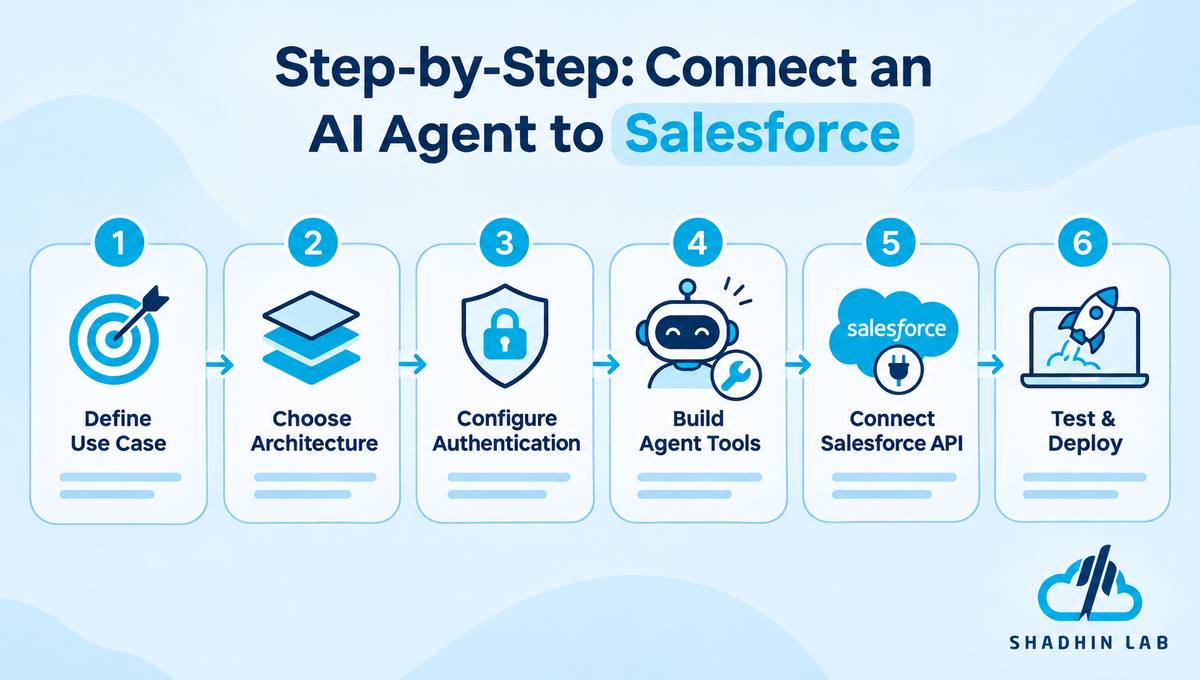
Step 1: Define the AI Agent’s Salesforce Use Case
Start by identifying the business problem the AI agent will solve.
An agent connected to Salesforce could support several workflows:
- Retrieve customer and account information.
- Qualify incoming leads.
- Summarize opportunity activity.
- Update CRM records.
- Create follow-up tasks.
- Retrieve customer support case information.
Rather than giving the agent access to every Salesforce operation, define the exact tasks it needs to perform.
For example, a lead qualification agent might need to retrieve lead details, evaluate qualification criteria, recommend a lead status, and create a follow-up task.
Define the inputs, expected outputs, permitted actions, and business rules for each operation before building the integration.
Step 2: Choose the Integration Architecture
Select the integration approach based on the use case and existing technology stack.
A direct Salesforce REST API integration may be sufficient for a custom agent that needs to retrieve and update a limited number of CRM records.
Salesforce Flow or Apex actions may be more appropriate when business logic can be managed within Salesforce. Agentforce may be a better choice when the business wants Salesforce-native agents. Middleware becomes more valuable when the agent needs to coordinate workflows across several enterprise applications.
The architecture should reflect workflow complexity, integration volume, data sensitivity, development resources, and the number of connected systems.
Step 3: Configure Salesforce API Access and Authentication
An external AI agent needs authorized access to Salesforce before it can interact with CRM records.
For new integrations, Salesforce recommends using External Client Apps. Creating new legacy Connected Apps has been restricted beginning with Spring ’26, although existing Connected Apps continue to function.
A typical setup involves:
- Creating and configuring an External Client App.
- Selecting an appropriate OAuth 2.0 authentication flow.
- Assigning a dedicated integration user where appropriate.
- Configuring API access and object-level permissions.
- Securing client credentials, tokens, and other authentication information.
The OAuth flow should be selected based on the application’s architecture and authentication requirements.
Authentication establishes the application’s or user’s identity. Authorization determines which Salesforce records and operations that identity can access.
These are separate security responsibilities and must both be configured correctly.
Step 4: Build the Agent’s Salesforce Tools
Instead of giving the AI agent unrestricted access to Salesforce, define specific tools that represent the operations it is allowed to perform.
For example, a sales agent might have access to the following tools:
| Tool | Purpose |
| get_lead | Retrieve details about a specific lead |
| search_contacts | Find contacts using defined search criteria |
| get_opportunity | Retrieve opportunity details and activity information |
| update_lead_status | Update a lead’s status through a validated operation |
| create_follow_up_task | Create a Salesforce task for a sales representative |
Each tool should have a defined input schema, required permissions, validation rules, and expected response.
For example, the update_lead_status tool should accept a lead identifier and an allowed status value. The integration layer should validate both before submitting the request to Salesforce.
This approach makes agent actions more predictable and easier to monitor.
Step 5. Connect the Agent to the Salesforce API
Build the application or orchestration layer that receives the AI agent’s tool requests and executes the corresponding Salesforce operations.
This layer is responsible for authentication, request validation, API execution, error handling, and response processing.
When the agent requests an operation, the integration layer should verify that the requested tool exists, validate the parameters, check authorization, and execute the corresponding API request.
It should also handle practical integration problems, including invalid records, missing fields, API rate limits, retries, duplicate updates, and failures during multi-step workflows.
For multi-step operations, the integration should verify the result of each step before proceeding. If a workflow fails midway, the application should detect the failure and handle the incomplete operation rather than assuming the entire process succeeded.
Step 6. Test, Monitor, and Deploy
Before deploying the integration, test the agent’s behavior against different Salesforce records, user permissions, and workflow scenarios.
Start by testing read operations separately from write operations. Confirm that the agent retrieves the correct records and that updates are applied only when the requested actions are authorized.
Test permission boundaries, invalid requests, missing data, API failures, duplicate requests, and unexpected agent behavior.
Monitor API usage, errors, latency, agent tool calls, and changes to CRM records. Maintain logs that allow administrators to understand what the agent requested, which operations were executed, and whether they succeeded.
Deploy gradually, beginning with a limited workflow or group of users. Expand access only after the integration demonstrates reliable behavior.
Businesses planning custom AI agent development and API integration may benefit from specialist support when designing the architecture, connecting enterprise systems, and implementing security controls.
Practical Use Cases of AI Agents in Salesforce
AI agents can support sales, customer service, and CRM operations by combining customer information with controlled business actions.
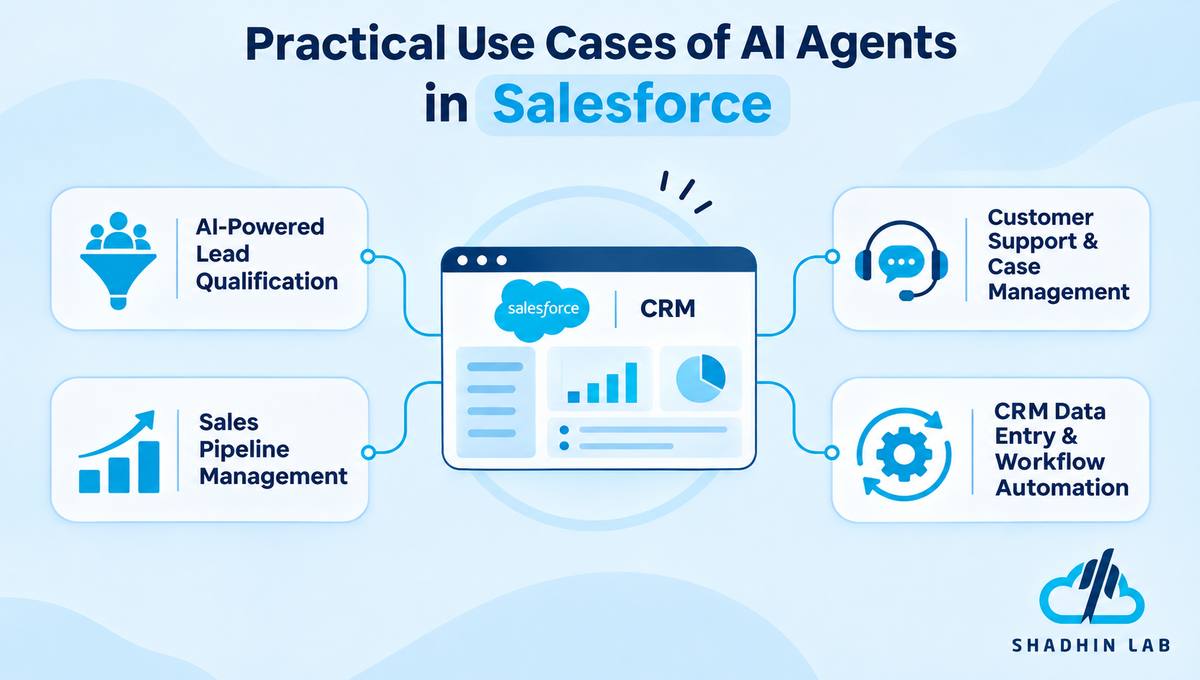
AI-Powered Lead Qualification
An AI agent can retrieve lead details, review available information, and evaluate the prospect against predefined qualification criteria.
For example, it could analyze a lead’s company information, industry, engagement history, and qualification fields in Salesforce. The agent can summarize the prospect’s suitability, recommend the next action, and update permitted fields if the workflow allows it.
Sales representatives can use the result to prioritize leads without manually reviewing every record.
Sales Pipeline and Opportunity Management
Sales representatives can ask an AI agent to summarize opportunity activity, identify missing information, or review upcoming follow-up tasks.
The agent can retrieve relevant opportunity records, activity history, and customer information to generate a useful summary. It may also identify missing fields or recommend actions that help sales teams maintain accurate pipeline information.
When authorized, the agent can create tasks or update specific opportunity fields.
Customer Support and Case Management
An AI agent connected to Salesforce Service Cloud can retrieve customer details, previous interactions, and related support cases.
A support representative could ask the agent to summarize a customer’s history before responding to a new case. The agent can retrieve relevant records, identify recurring issues, and prepare a response based on the available information.
Depending on the integration, it may also update case fields or create follow-up tasks.
CRM Data Entry and Workflow Automation
AI agents can automate repetitive CRM operations, including creating tasks, updating records, and initiating approved workflows.
For example, an agent could process a sales representative’s request to create a follow-up task for a prospect, set a due date, and associate the task with the correct Salesforce record.
The agent interprets the request, uses the appropriate tools, and submits the operation through the integration layer.
These workflows can reduce repetitive data entry while keeping CRM operations within defined permissions and business rules.
Security Best Practices for Salesforce AI Agent Integration
An AI agent with access to Salesforce can interact with sensitive customer and business information. Security should be part of the integration architecture rather than something added after deployment.
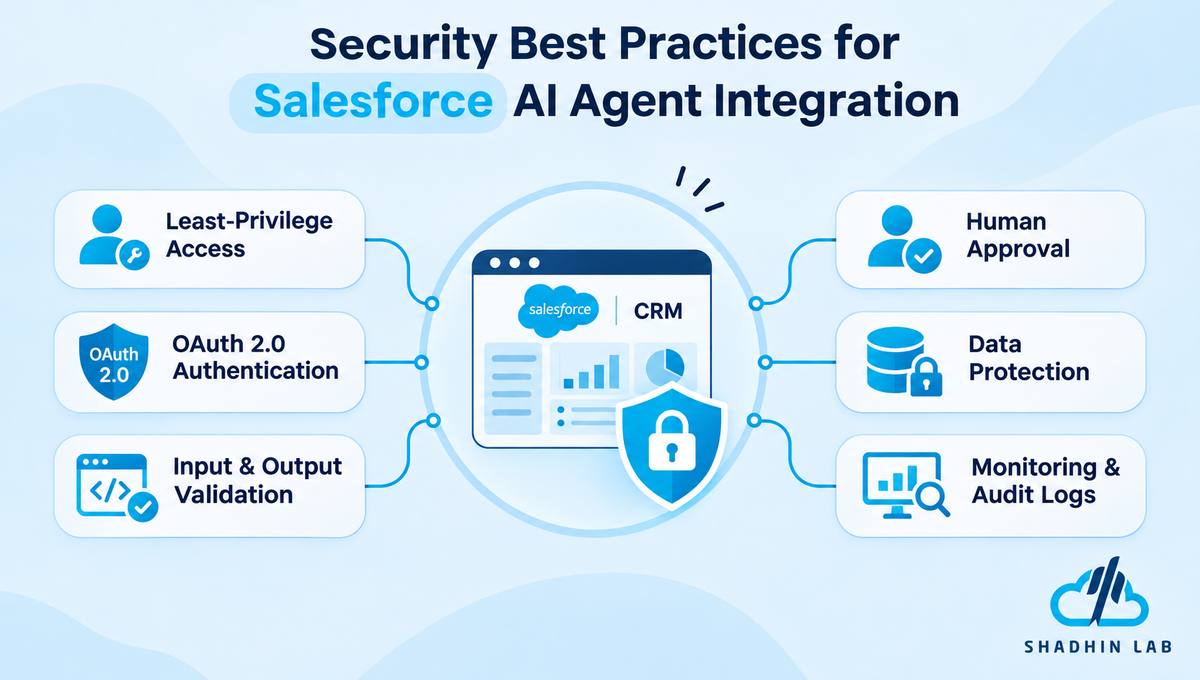
Least-privilege access: Give the integration only the object, field, and record permissions required for its workflows. Avoid unrestricted access to the entire CRM.
OAuth 2.0 authentication: Use supported OAuth flows and secure authentication configurations. Protect client credentials and access tokens, and avoid exposing them to the AI model.
Input and output validation: Validate agent-generated parameters before executing API operations. Check record identifiers, field values, allowed operations, and business rules.
Human approval: Require confirmation for sensitive or high-impact actions, such as deleting records, changing critical financial information, or modifying important opportunity values.
Data protection: Avoid exposing unnecessary personal or confidential CRM data to models, external services, and application logs.
Prompt injection protection: Treat CRM content, emails, notes, and external inputs as untrusted data. Retrieved content should not be allowed to override the agent’s instructions or bypass tool permissions.
Monitoring and audit logs: Record relevant information about the request, the operation performed, the result, and the associated user or workflow.
For example, an AI agent might recommend increasing an opportunity’s value based on new customer information. The integration could require a sales manager to approve the change before updating the Salesforce record.
OAuth alone does not make an AI agent integration secure. Authentication, authorization, application-level validation, monitoring, and governance must work together.
Common Challenges When Connecting AI Agents to Salesforce
AI agent integration with Salesforce can introduce technical and operational challenges.
Salesforce API limits may restrict the number of requests an application can make within a given period. Complex CRM object relationships can make retrieving the correct data difficult, particularly when an agent needs information from several related records.
Incomplete or inconsistent CRM data can also affect the quality of an agent’s responses and actions. Overly broad permissions, duplicate updates, and unexpected tool calls create additional risks.
Multi-step workflows may fail when one operation succeeds but a later operation does not. Latency and AI processing costs can also increase when an agent makes unnecessary API calls or repeatedly retrieves the same information.
These challenges can be reduced through clear tool definitions, efficient API requests, validation, controlled retries, monitoring, and staged deployment. The integration should also be designed to detect incomplete operations and prevent unintended changes.
Salesforce Agentforce vs. Custom AI Agent Integration
Agentforce and custom AI agents offer different approaches to building AI-powered CRM workflows. The choice depends on the business’s existing technology stack, development resources, integration requirements, and governance needs.
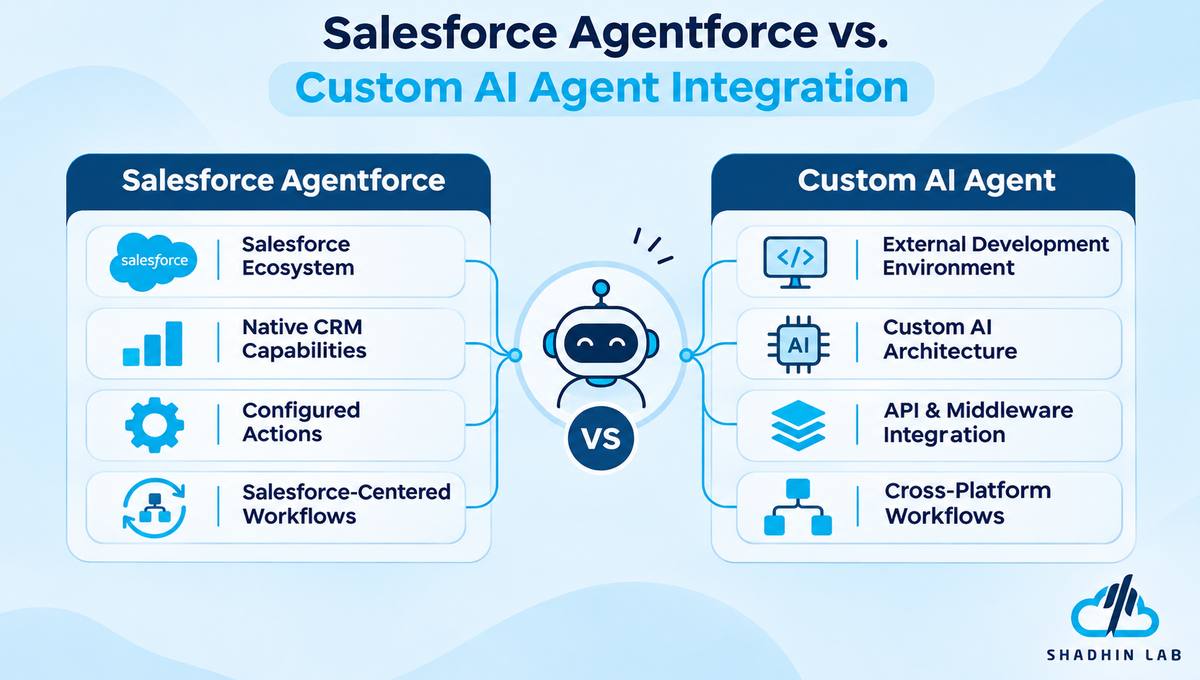
| Comparison area | Salesforce Agentforce | Custom AI agent |
| Development environment | Salesforce ecosystem | External development environment |
| CRM access | Native Salesforce capabilities and configured actions | Salesforce APIs or integration layer |
| Customization | Salesforce-supported configuration and development | Greater control over agent architecture |
| External systems | Through supported integrations and actions | Custom APIs, middleware, or tool interfaces |
| Best suited for | Salesforce-centered agent workflows | Custom or cross-platform business workflows |
Agentforce is a suitable option for businesses that want to build and manage agents within Salesforce. It provides Salesforce-native capabilities and supports configured agent actions and integrations.
A custom AI agent may be more appropriate when a business needs a specialized agent architecture, greater control over model selection, custom tool orchestration, or connections across multiple platforms.
Hybrid approaches are also possible. External applications can programmatically communicate with supported Agentforce agents, and Salesforce documents MCP-based integration patterns for compatible external clients.
The decision should be based on the actual workflow, system architecture, data access requirements, development capabilities, and long-term maintenance needs rather than assuming one approach is universally better.
Frequently Asked Questions
Can AI agents connect directly to Salesforce?
Yes. External AI agents can interact with Salesforce through authenticated APIs and supported integration tools. In production architectures, an application or orchestration layer should validate agent requests, enforce permissions, and execute the API operations instead of giving the AI model unrestricted access.
Does Salesforce have its own AI agents?
Yes. Salesforce offers Agentforce, a platform for building and deploying AI agents within the Salesforce ecosystem. Agentforce agents can use configured actions, Salesforce capabilities, and supported integrations to perform business tasks.
Can an AI agent update Salesforce records?
Yes. An AI agent can update Salesforce records when the integration exposes authorized write operations. The application should validate the requested changes, enforce permissions, and require human approval when appropriate.
Is Salesforce Agentforce the same as a custom AI agent?
No. Agentforce is Salesforce’s native agent platform, while a custom AI agent may be built using external frameworks, models, and application infrastructure. They differ in development environment, architecture, customization, and integration requirements.
Can I connect ChatGPT or another AI model to Salesforce?
Yes. An external AI application can interact with Salesforce through APIs, integration tools, or middleware. The integration requires appropriate authentication, permissions, and a controlled execution layer. The specific architecture depends on the application and workflow requirements.
Do I need MuleSoft to integrate an AI agent with Salesforce?
No. Direct Salesforce APIs, Flow, Apex, or other supported integration methods may be sufficient for simpler workflows. MuleSoft and other middleware platforms become more useful when integrations involve multiple systems, complex transformations, or enterprise-level orchestration.
Conclusion
Integrating AI agents with Salesforce allows businesses to extend CRM workflows beyond conventional automation. Agents can retrieve customer information, summarize interactions, qualify leads, update records, and execute approved business operations through APIs and integration tools.
Successful integration depends on choosing the right architecture, defining reliable tools, configuring secure access, validating agent requests, and testing workflows before deployment. Businesses should begin with a clearly defined use case and expand gradually as the integration proves reliable.
For businesses exploring custom AI agents and connected business workflows, the right integration architecture can help turn AI capabilities into practical business operations.

Shaif Azad
Shaif Azad Rahi is an AI/ML professional and Solution Engineer at Shadhin Lab, specializing in AI-powered solutions and scalable software systems, with a focus on applying AI to solve real-world business challenges.
Related Post
AI ERP Integration: Use Cases, Benefits, and Implementation
Enterprise resource planning (ERP) systems centralize business operations, from finance and inventory to procurement, sales, and...
MCP vs APIs: Are APIs Becoming Obsolete?
Artificial Intelligence is changing how applications interact with software. AI assistants and autonomous agents can now...
AI Agent Memory: Architecture and Implementation
An AI agent needs more than a language model to handle tasks that extend beyond a...
