
AI ERP Integration: Use Cases, Benefits, and Implementation
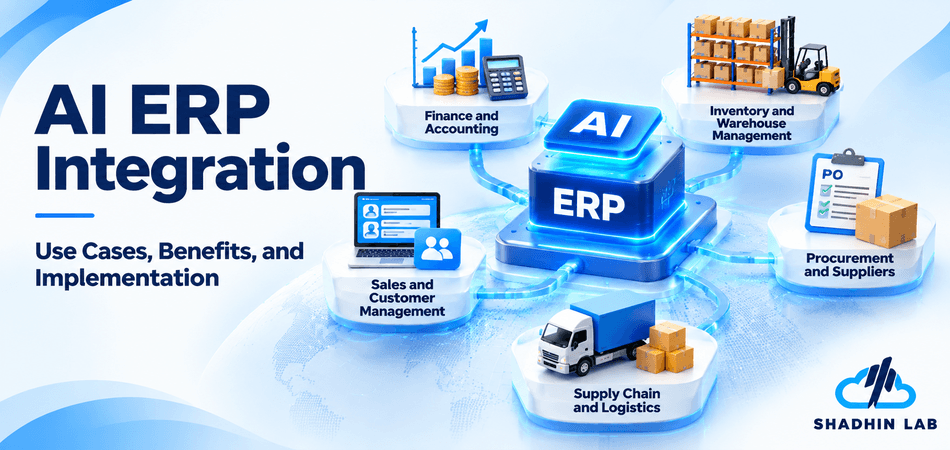
Table of Contents
Enterprise resource planning (ERP) systems centralize business operations, from finance and inventory to procurement, sales, and supply chain management. However, employees still spend considerable time interpreting operational data, preparing reports, and completing repetitive tasks across departments.
AI ERP integration connects artificial intelligence capabilities with ERP data and workflows to help businesses automate processes, identify patterns, and support operational decisions. It can extend an existing ERP environment without necessarily replacing the core system.
This guide explains how AI ERP integration works, its business applications, the architecture involved, and how to implement it responsibly.
Table of Contents
Key Takeaways
- AI ERP integration connects artificial intelligence technologies with ERP data, applications, and business workflows.
- Common applications include demand forecasting, invoice processing, procurement support, inventory management, and intelligent reporting.
- Businesses can connect external AI models and agents to an existing ERP or use AI features built into an ERP platform.
- Successful integration depends on reliable data, controlled system connectivity, clear workflows, and appropriate human oversight.
- The best starting point is a measurable business problem—not the addition of AI features without a defined purpose.
What Is AI ERP Integration?
AI ERP integration is the process of connecting artificial intelligence technologies with enterprise resource planning systems to improve data analysis, automate workflows, and support business operations.
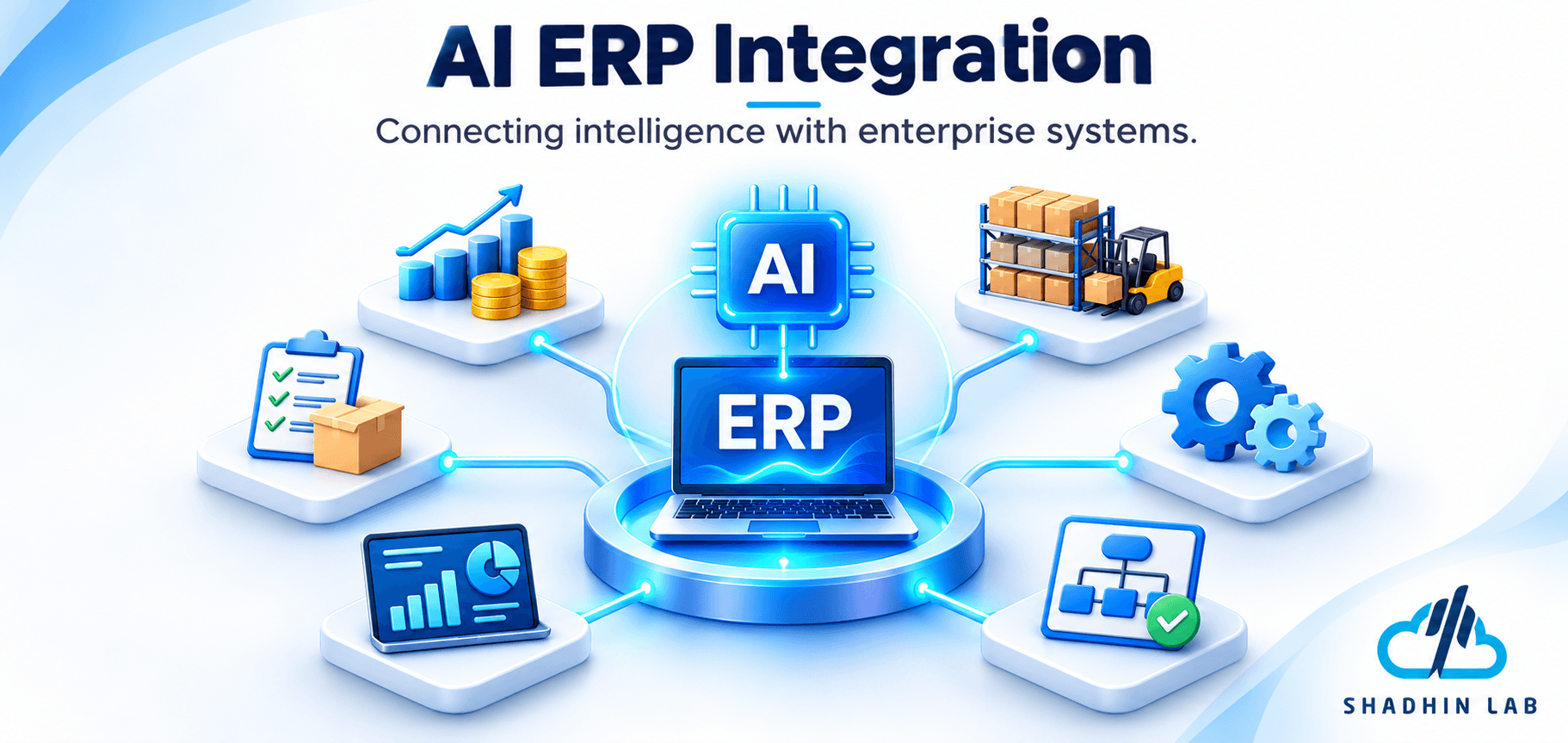
An ERP system manages core business information and transactions across departments. It may contain sales records, inventory levels, purchase orders, financial transactions, supplier information, and production data. AI technologies can use relevant information from these systems to identify patterns, generate predictions, summarize documents, answer business questions, or support approved workflow actions.
Several AI technologies can contribute to this integration:
- Machine learning: Analyzes historical data to identify patterns and generate forecasts, such as predicting product demand.
- Generative AI: Processes documents, summarizes business information, and supports natural-language interaction with ERP data.
- AI agents: Coordinate multi-step workflows and interact with connected tools when granted appropriate permissions.
- Natural language processing: Helps systems interpret business queries, messages, and documents.
- Predictive analytics: Uses data patterns to identify potential operational issues and support planning.
For example, an inventory workflow could combine historical sales, current stock levels, and supplier lead times to forecast potential shortages. The AI application could recommend replenishment quantities for an employee to review.
AI does not automatically replace the ERP system. The ERP remains responsible for managing core business records and transactions, while AI adds capabilities for analysis, interaction, prediction, and automation.
How Does AI ERP Integration Work?
AI ERP integration connects ERP information with AI applications through a controlled data and workflow process. The exact design depends on the ERP platform, the business process, and the type of AI capability being introduced.
ERP Data Collection
The integration begins by accessing relevant information from the ERP environment. Depending on the use case, this may include:
- Sales orders and customer records
- Inventory and warehouse data
- Financial transactions and invoices
- Procurement records and supplier information
- Production schedules and operational records
The integration should collect only the information required for the intended task. For example, a demand forecasting application may need historical sales, stock levels, and supplier lead times, but it may not need employee records or unrelated financial information.
Data access can take place through APIs, integration services, database views, event streams, or other mechanisms supported by the ERP environment. The available options depend on the platform, version, configuration, and security requirements.
Data Processing and Preparation
ERP data is not automatically ready for AI processing. Business records may contain inconsistent formats, duplicate entries, missing fields, outdated values, or information that needs additional context.
Before processing, the integration should validate, normalize, filter, and structure the relevant data. It should also enforce permissions and establish how information is synchronized between the ERP and the AI application.
Data preparation matters because an AI model cannot reliably compensate for every problem in its source data. If supplier lead times are inaccurate or sales records are incomplete, the resulting forecast or recommendation may also be unreliable.
AI Processing and Decision Support
After preparation, the AI application processes the information according to the task.
A machine learning model may estimate future demand based on historical patterns. A generative AI application may summarize a collection of invoices or explain a financial report. An AI agent may coordinate several steps, such as retrieving supplier information, checking inventory, and preparing a purchase order recommendation.
The output may include predictions, recommendations, document summaries, anomaly alerts, or natural-language answers.
Workflow Execution and ERP Updates
The final stage determines what happens with the AI output.
Some integrations are read-only: they analyze ERP data and return insights without changing business records. Others generate recommendations for employees to review. More advanced workflows may perform approved actions through APIs or integration services.
For example, an AI application might prepare a draft purchase order, update a task status, or route an invoice to the appropriate reviewer.
These actions have different risk levels. Reading information is not the same as changing a financial record or approving a transaction. Businesses should define permissions, validation rules, and approval requirements before allowing AI applications to make changes to ERP data.
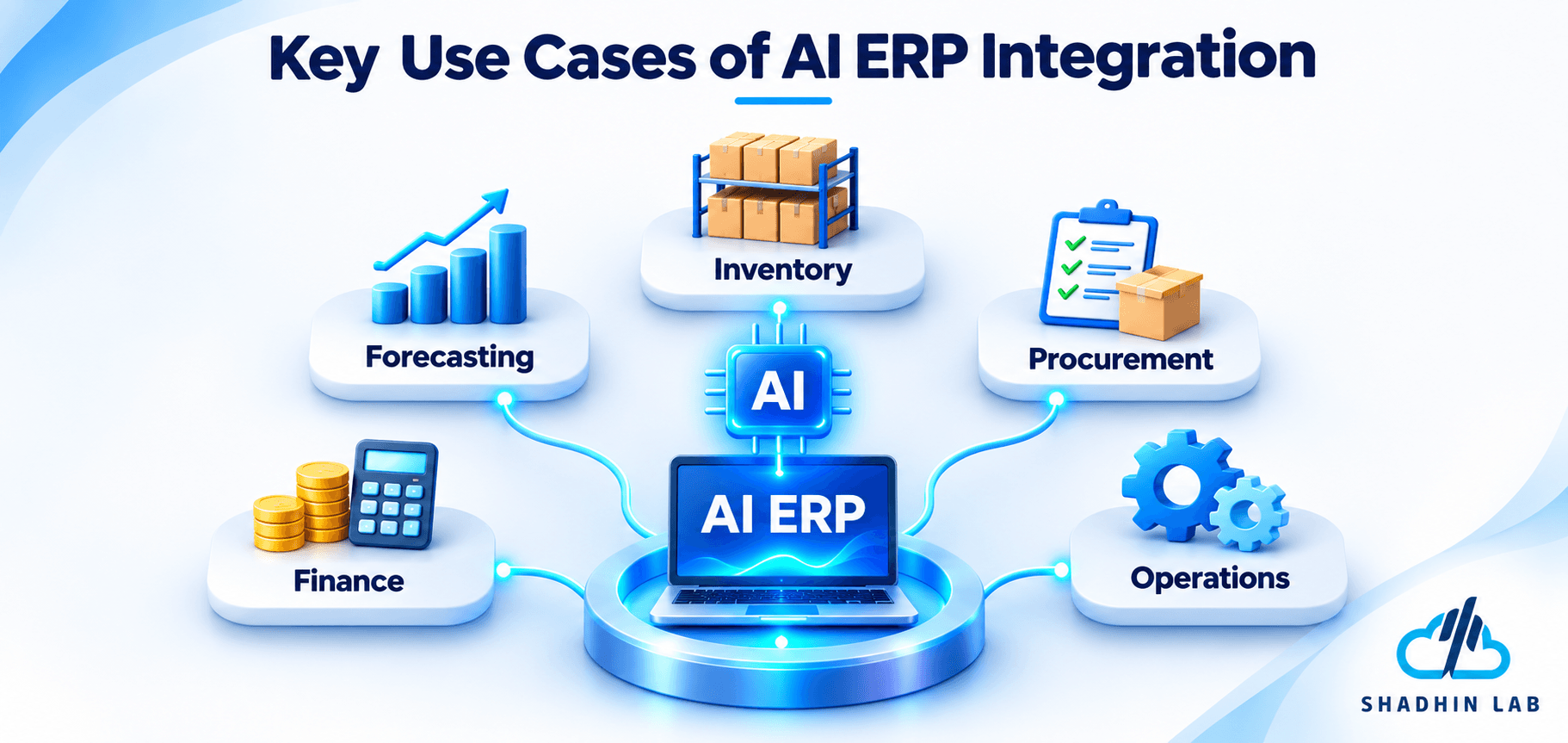
Key Use Cases of AI ERP Integration
The value of AI ERP integration becomes clearer when it is connected to specific operational processes. Rather than introducing AI as a separate tool, businesses can use it to improve workflows that already depend on ERP information.
AI-Powered Demand Forecasting and Inventory Management
Inventory decisions depend on several changing factors, including historical sales, seasonal demand, current stock, supplier lead times, and purchasing patterns. Reviewing these variables manually can be difficult, particularly when a business manages many products or locations.
Machine learning models can analyze historical and current ERP data to identify demand patterns and estimate future requirements. An integrated application can use these estimates to highlight products that may experience shortages or excess inventory.
For example, an inventory team could receive an alert when a product’s projected demand is likely to exceed available stock before the next supplier delivery. The system might recommend a replenishment quantity based on the available data and configured business rules.
Employees can then review the recommendation alongside supplier constraints, budget limits, and operational priorities. AI supports the planning process, but purchasing decisions should remain subject to the organization’s approval policies.
Financial Management and Invoice Processing
Finance departments handle large volumes of invoices, expense records, payment information, and financial reports. AI can support several information-processing tasks within these workflows.
Document processing applications can extract invoice details, such as supplier names, invoice numbers, dates, line items, and amounts. AI can also help classify transactions, categorize expenses, summarize financial reports, and identify unusual payment patterns for further review.
For example, an invoice-processing workflow could extract information from a submitted document, compare it with an associated purchase order, and flag differences for an accounts payable employee.
However, extracted values and AI-generated classifications should be validated against accounting rules and approval policies. Financial transactions should not be approved solely because an AI model has produced a plausible result.
Procurement and Supplier Management
Procurement teams need to coordinate purchase requests, supplier documents, delivery information, and approval workflows. AI can help organize this information and reduce manual review.
An ERP-connected AI application may extract information from supplier documents, summarize supplier performance, identify unusual changes in purchasing patterns, or recommend purchase quantities based on operational requirements.
It can also support approval routing. For example, a purchase request that exceeds a configured threshold could be directed to the appropriate manager rather than following a routine approval path.
Supplier risk identification may also benefit from combining ERP records with other authorized business information. However, recommendations should be based on relevant evidence, and employees should be able to review the factors behind important procurement decisions.
Sales and Customer Relationship Management
Sales teams can benefit when customer information, order history, product availability, and financial data are easier to access together.
ERP-connected AI can summarize customer and order history, identify sales trends, support forecasting, and help employees retrieve operational information using natural-language questions.
For example, a sales representative preparing for a customer discussion might need to understand recent orders, outstanding invoices, product availability, and delivery status. An AI application could retrieve authorized information from connected systems and organize it into a concise summary.
It is important to distinguish ERP integration with customer relationship management (CRM) software from AI capabilities added directly to ERP workflows. ERP and CRM systems manage different but related business processes. Connecting them can provide a broader operational view, while AI can help employees interpret information across those systems.
Supply Chain and Logistics Optimization
Supply chain operations involve coordination among suppliers, warehouses, transportation providers, production teams, and customers. Delays or unexpected changes in one part of the process can affect several others.
AI applications can analyze shipment records, delivery timelines, supplier performance, demand patterns, and inventory information to identify potential disruptions.
For example, an application might detect that a supplier’s recent delivery times are increasing and highlight purchase orders that could be affected. It could then help the procurement or logistics team review alternative delivery options or adjust planning.
These capabilities can support demand and supply planning, shipment analysis, delay identification, and logistics recommendations. Their reliability depends on the quality, timeliness, and completeness of the connected information.
AI-Powered ERP Reporting and Business Intelligence
ERP systems contain substantial amounts of operational data, but employees may need technical knowledge or help from analysts to retrieve specific information.
Natural-language interfaces can make this information easier to explore. Instead of manually navigating several reports, an authorized employee could ask questions such as:
- Which products experienced the largest decline in sales?
- Which suppliers have the longest delivery delays?
- How did operating expenses change this quarter?
- Which product categories have the highest inventory levels?
A connected AI application can interpret the question, retrieve relevant ERP data, and present an answer in a readable format.
However, natural-language reporting must be grounded in authorized ERP data and verified calculations. The system should make the reporting period, data source, and relevant filters clear when they affect the answer. AI-generated explanations should not be treated as verified financial figures without checking the underlying data.
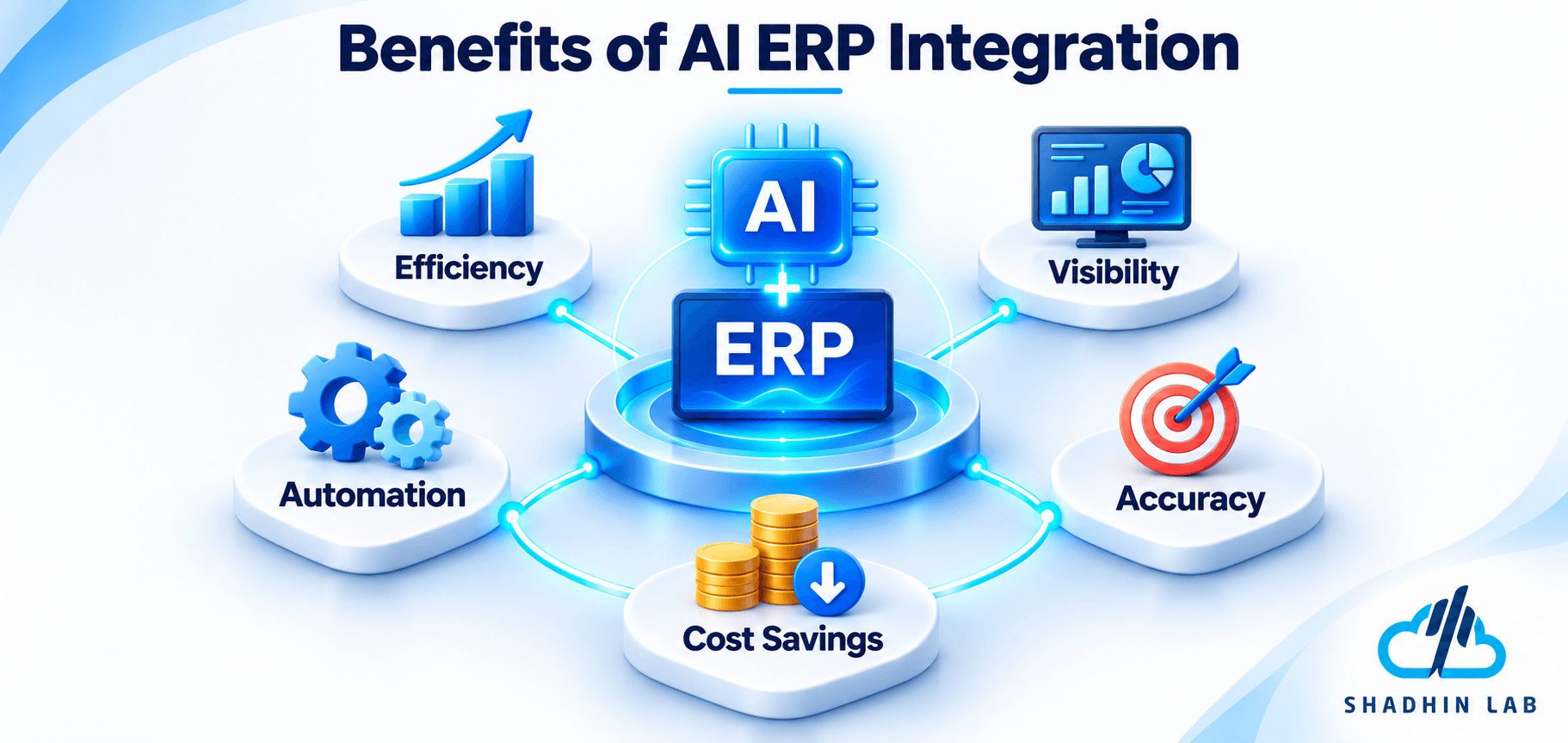
Benefits of Integrating AI With ERP Systems
The benefits of AI ERP integration depend on the processes being improved and how well the integration fits the existing business environment. When implemented around clear operational requirements, it can provide several advantages.
Reduced Manual Work
AI can handle repetitive information-processing tasks such as extracting invoice details, organizing documents, summarizing records, and preparing workflow recommendations. Employees can spend less time on routine processing and more time reviewing exceptions or handling decisions that require judgment.
Better Operational Visibility
AI can help teams identify patterns across large amounts of ERP data. Summaries, alerts, and predictive analysis can make potential problems easier to recognize and investigate.
More Informed Business Decisions
Forecasts, anomaly detection, and data-driven recommendations can provide additional information for inventory planning, procurement, finance, and operational management. These outputs support decisions rather than guarantee a particular business outcome.
Improved Process Consistency
Well-designed AI workflows can apply repeatable validation rules, routing conditions, and approval processes. This can help reduce variation in how routine tasks are handled across departments.
Greater Scalability
Businesses may be able to extend analytical and automation capabilities across additional workflows without immediately replacing their existing ERP systems. Expansion should still account for integration complexity, infrastructure, governance, and ongoing maintenance.
AI ERP Integration Architecture: What Does the System Need?
A typical AI ERP integration architecture contains several connected layers. Each layer has a distinct responsibility, from providing operational data to processing AI requests and controlling actions.
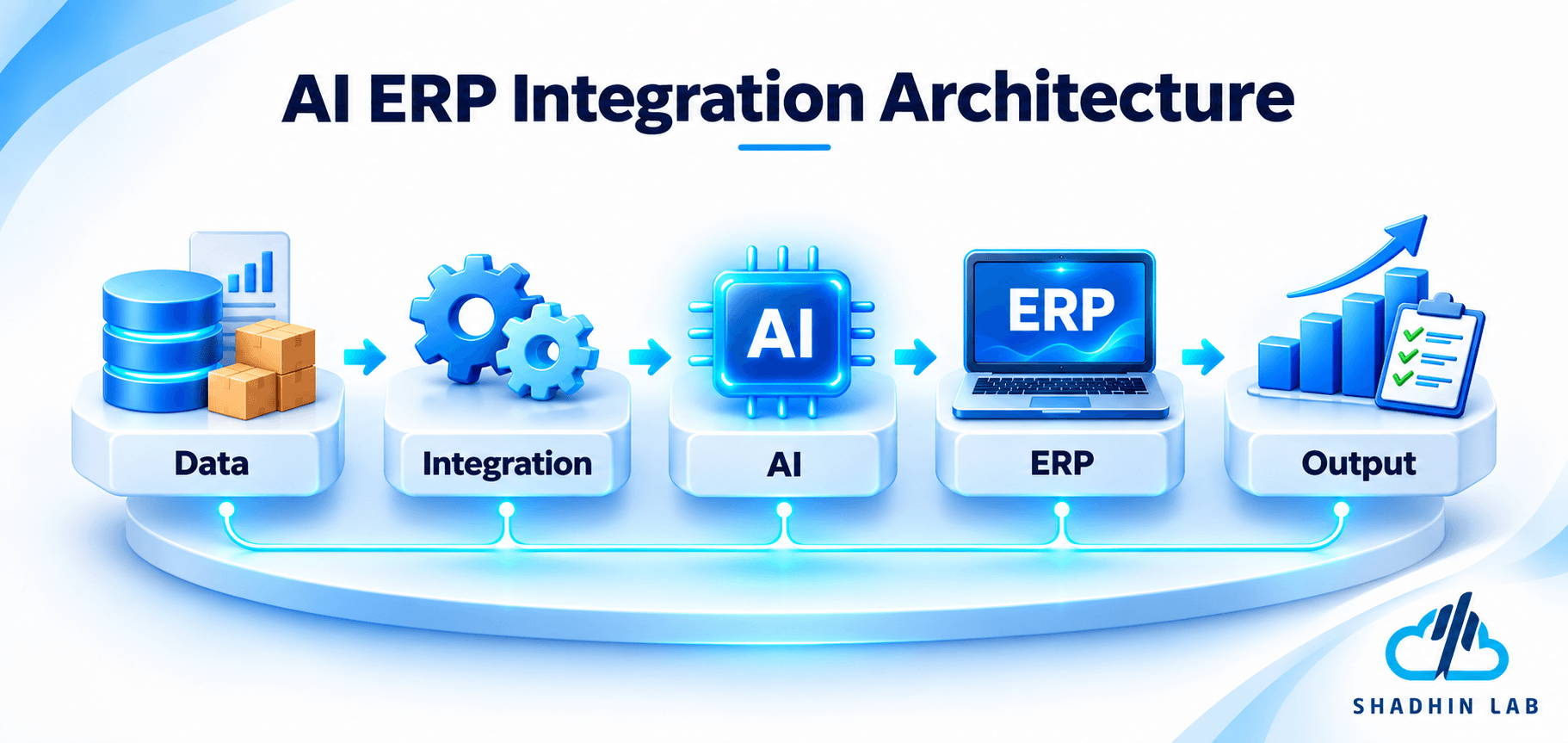
ERP System and Data Layer
The ERP platform is the primary source of operational and transactional information. It may contain records for finance, inventory, sales, procurement, production, and other business functions.
The integration should access relevant information through supported interfaces rather than giving an AI model unrestricted access to the ERP database. This helps preserve the ERP’s role as the authoritative system for business records.
API and Integration Layer
The API and integration layer connects the ERP environment with external AI applications and services.
REST APIs can provide structured ways to retrieve information or submit authorized updates. Middleware and integration platforms can help coordinate data exchange between systems. Webhooks and event-driven mechanisms can notify connected applications when relevant events occur, depending on what the ERP platform supports.
This layer can also handle data transformation, synchronization, authentication, and communication between applications.
AI Model and Application Layer
This layer contains the AI capabilities used by the business workflow. It may include large language models, machine learning models, AI agents, document processing applications, and analytics tools.
Different tasks require different capabilities. A forecasting workflow may use machine learning, while document summarization may use generative AI. An AI agent may coordinate multiple tools when a task requires several connected steps.
The architecture should select AI components based on the problem rather than using one model for every requirement.
Workflow and Orchestration Layer
The orchestration layer coordinates the sequence of operations. It manages business rules, AI processing, tool calls, validation, approval steps, and communication with the ERP system.
For example, an invoice workflow may receive a document, extract its details, compare them with a purchase order, identify discrepancies, and route the result for approval.
Orchestration makes it possible to define which steps are automated and where human review is required.
Security and Governance Layer
Security and governance apply across the entire architecture. Important controls include authentication, authorization, role-based access, encryption, audit logs, data privacy, and retention policies.
Sensitive actions should use least-privilege permissions and appropriate approval mechanisms. Businesses should also maintain records of important AI-assisted actions so they can investigate errors and understand how decisions were made.
Architectural principle: AI should not receive unrestricted access to ERP databases or transactional operations. Use controlled integration interfaces, least-privilege permissions, validation, and human approval for sensitive actions.
How to Implement AI ERP Integration: Step-by-Step
A successful implementation begins with a defined business requirement and progresses through assessment, architecture design, testing, and monitoring. A focused pilot is usually a more manageable starting point than attempting to connect AI to every ERP module at once.
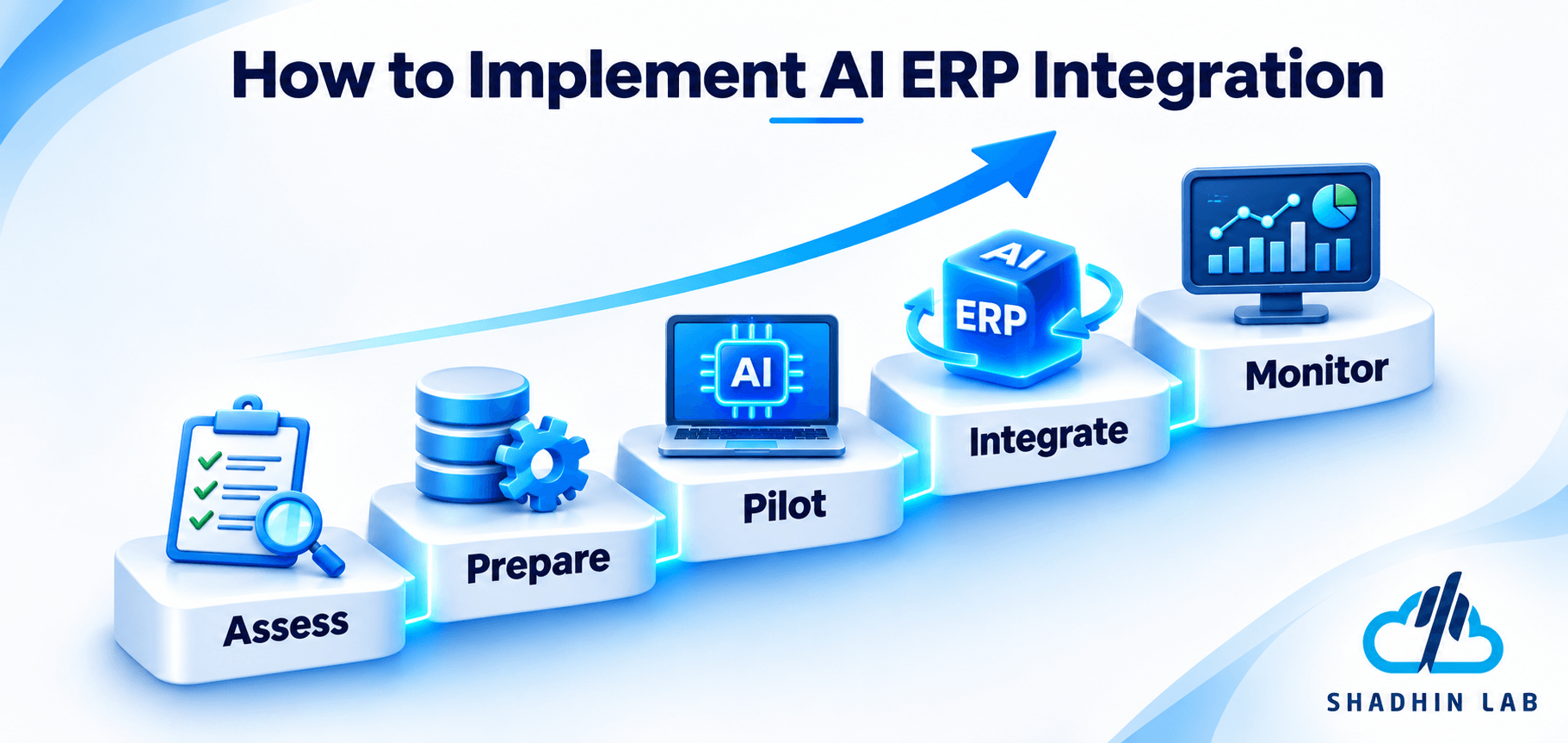
Step 1. Identify the Business Process to Improve
Start by identifying a repetitive, measurable, or data-intensive workflow. Examples include invoice processing, inventory forecasting, supplier document handling, and operational reporting.
Define the current process, the problem employees experience, and the outcome the business wants to improve. Determine how the result will be measured, such as processing accuracy, time required, exception rates, or the quality of forecasts.
A clearly defined problem helps determine whether AI is appropriate and which technology is needed.
Step 2. Assess the Existing ERP Environment
Before selecting an AI solution, understand the existing ERP environment.
Review the ERP platform and version, available APIs, supported integration methods, data sources, and current workflow dependencies. Examine data quality and identify any incomplete, duplicated, or inconsistent records that could affect AI outputs.
The assessment should also cover security requirements, user permissions, data ownership, and the business processes that must remain unchanged.
Older ERP environments may require additional integration work, so technical feasibility should be evaluated early.
Step 3. Choose the Right AI Approach
Select the AI technology according to the task.
- Traditional machine learning is suitable for forecasting, classification, and pattern recognition when sufficient relevant data is available.
- Generative AI can support document processing, summarization, and natural-language interaction.
- AI agents can coordinate multi-step workflows involving connected tools and decisions, subject to defined permissions.
- Hybrid systems combine multiple capabilities when a workflow requires prediction, document understanding, and controlled execution.
For example, an invoice workflow may use document processing to extract information, business rules to validate it, and an AI agent to coordinate the review process.
Step 4. Design the Integration Architecture
Define how data will move between the ERP system and the AI application. Identify the APIs or integration services involved, the required data fields, authentication methods, and the components responsible for processing and orchestration.
Specify how the system will handle failed requests, incomplete records, unexpected AI outputs, and duplicate events. Establish approval requirements before enabling transactional actions.
The architecture should be secure, maintainable, and appropriate for the ERP environment rather than unnecessarily complex.
Step 5. Build and Test a Pilot
Implement the integration for one selected workflow. Test it with representative data and realistic operating conditions before expanding its scope.
Evaluate:
- Output accuracy and reliability
- Data quality and synchronization
- Processing time and system responsiveness
- Exception handling and recovery
- User acceptance and workflow usability
- Operational impact against the original baseline
Include cases where information is missing, conflicting, outdated, or outside the expected format. Test read-only analysis separately from workflows that create or update ERP records.
Step 6. Deploy, Monitor, and Expand
After the pilot meets its evaluation criteria, deploy it with appropriate monitoring and operational controls.
Track AI output quality, integration errors, processing delays, access events, and human overrides. Maintain audit logs and establish a process for reviewing model behavior and updating the integration when business requirements change.
Expand to additional ERP processes only after the pilot demonstrates measurable value and the organization can support the added complexity.
Businesses looking to connect AI applications, agents, or automation workflows with existing systems may consider working with a custom AI development partner.
Challenges of AI ERP Integration and How to Address Them
Integrating AI with an ERP system can introduce technical and operational challenges. Identifying these issues early helps businesses design a more reliable solution.
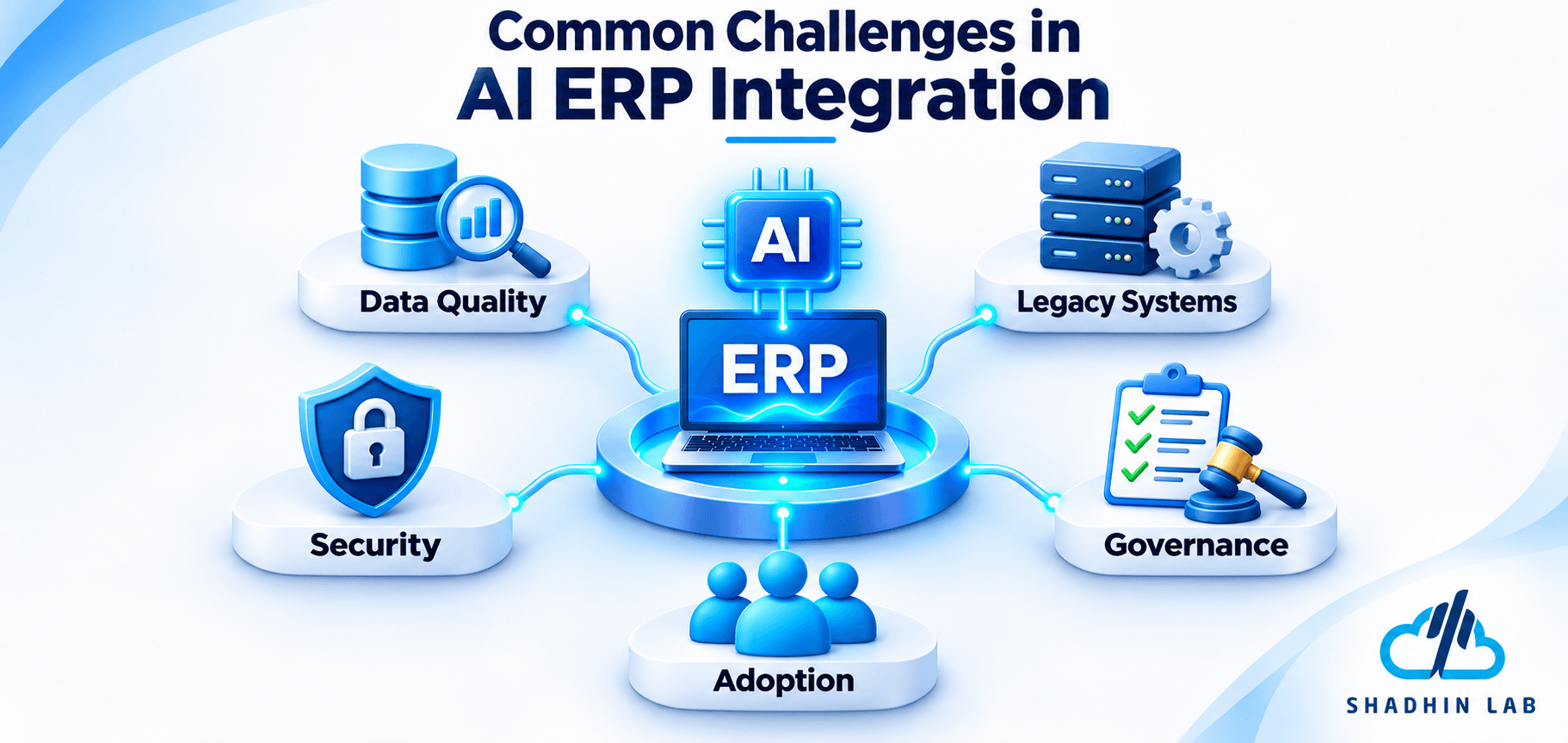
Poor Data Quality
Incomplete, inconsistent, or outdated ERP records can reduce the reliability of AI outputs. Before deployment, review the relevant data, establish validation rules, and address important quality issues. Data preparation should be an ongoing responsibility, not a one-time activity.
Legacy ERP Systems and Integration Complexity
Older ERP platforms may have limited APIs, customized data structures, or dependencies on existing applications. Middleware and integration services can help connect these environments, but the available options must be assessed for each system. In some cases, carefully scoped modernization may be necessary.
Security and Data Privacy
ERP systems can contain sensitive financial, employee, customer, and supplier information. AI integration should use data minimization, encryption, access controls, and clear vendor data-handling requirements. Businesses should verify where information is processed, who can access it, and how long it is retained.
AI Hallucinations and Incorrect Recommendations
Generative AI may produce incorrect answers or recommendations that are not supported by the available records. Grounding responses in authorized ERP data, validating calculations, applying business rules, and requiring human review for sensitive decisions can reduce this risk.
Adoption and Change Management
Employees need to understand how AI changes their workflows and where human judgment remains necessary. Provide role-specific training, explain approval responsibilities, and give users a way to report incorrect outputs. Adoption should be treated as part of implementation rather than an afterthought.
AI ERP Integration vs. AI-Powered ERP Software
AI ERP integration and AI-powered ERP software both bring AI capabilities into business operations, but they use different approaches.
| Factor | AI ERP integration | AI-powered ERP software |
| Approach | Connects external AI applications to an existing ERP | Uses AI features provided within an ERP platform |
| Flexibility | Depends on the integration architecture and available APIs | Depends on the vendor’s supported capabilities |
| Customization | Can support specialized workflows through custom development | May be limited to supported features and extensions |
| Implementation | Requires integration and application development | Depends on the ERP product and its configuration |
| Best fit | Businesses with existing ERP investments and specific AI requirements | Businesses selecting or modernizing an ERP platform |
Neither approach is universally better. A business with a stable ERP environment and a specific automation requirement may prefer external AI integration. An organization selecting a new ERP platform may evaluate built-in AI capabilities as part of its software decision.
The right choice depends on the existing system, required functionality, customization needs, integration complexity, and long-term maintenance costs.
Frequently Asked Questions
What are the benefits of AI in ERP?
AI can help reduce repetitive information-processing work, improve operational visibility, support forecasting, and make business information easier to access. It can also help standardize workflow steps. Actual benefits depend on data quality, implementation design, and the business process being improved.
Can AI be integrated into an existing ERP system?
Yes. Businesses can connect external AI models and applications to an existing ERP through supported integration methods. Feasibility depends on the ERP platform, version, available APIs, data access, security requirements, and the complexity of the intended workflow.
Which ERP processes can AI automate?
AI can support invoice processing, document extraction, inventory forecasting, procurement workflows, supplier analysis, reporting, and selected sales and supply chain processes. The level of automation depends on the task, available data, business rules, and required approval controls.
What is the difference between AI ERP integration and AI-powered ERP?
AI ERP integration adds external AI applications or models to an existing ERP environment. AI-powered ERP software provides AI capabilities as part of the ERP platform itself. The first emphasizes connecting external capabilities; the second relies on features supported by the ERP vendor.
Is AI ERP integration secure?
It can be designed with appropriate security controls, including authentication, role-based access, encryption, audit logs, data isolation, and human approval for sensitive actions. Security depends on the complete integration architecture and the data-handling practices of every connected service.
How much does AI ERP integration cost?
The cost depends on the ERP platform, integration complexity, required AI capabilities, data preparation, development effort, licensing, infrastructure, security controls, and ongoing maintenance. A focused pilot can help businesses assess feasibility and scope before committing to a larger implementation. A reliable estimate requires an assessment of the existing ERP environment and intended workflow.
Conclusion
AI ERP integration can extend existing enterprise systems with predictive analytics, intelligent automation, natural-language interaction, and AI-assisted workflows. Successful implementation starts with a defined business problem, reliable ERP data, secure integration architecture, and measurable evaluation criteria.
Businesses should also establish clear permissions and human oversight before allowing AI applications to change transactional records. Rather than replacing an entire ERP environment, a focused integration can help teams improve selected workflows and expand gradually as results justify further investment.
Businesses exploring custom AI applications, intelligent workflows, or AI agents connected to existing systems can explore ShadhinLab’s verified AI services.

Shaif Azad
Shaif Azad Rahi is an AI/ML professional and Solution Engineer at Shadhin Lab, specializing in AI-powered solutions and scalable software systems, with a focus on applying AI to solve real-world business challenges.
Related Post
MCP vs APIs: Are APIs Becoming Obsolete?
Artificial Intelligence is changing how applications interact with software. AI assistants and autonomous agents can now...
AI Agent Memory: Architecture and Implementation
An AI agent needs more than a language model to handle tasks that extend beyond a...

Zoho vs HubSpot: Which CRM Is Better for Your Business?
Choosing a customer relationship management (CRM) platform is about more than organizing contacts. Your CRM needs...
