
AI Agent vs Chatbot: Differences and Use Cases
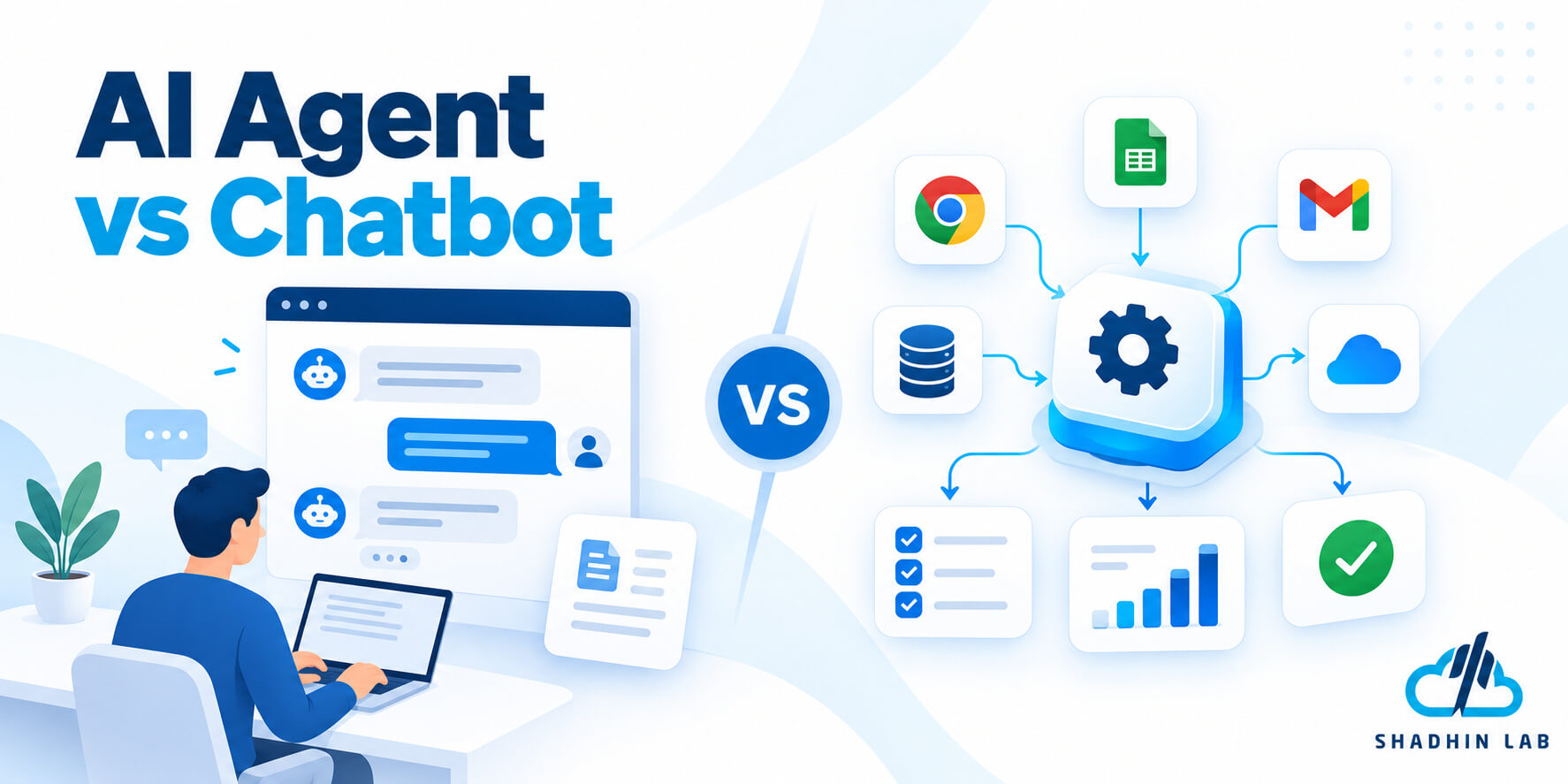
Table of Contents
Businesses are increasingly using AI to answer customer questions, support employees, and automate repetitive work. However, an AI chatbot and an AI agent are not necessarily the same thing. A chatbot primarily provides a conversational way to interact with a system, while an AI agent can use tools and perform multiple steps toward a defined goal.
As modern chatbots gain integrations and task-execution capabilities, the distinction becomes less clear. Understanding the differences helps businesses choose the right solution, control implementation costs, and build AI systems that solve real operational problems.
Table of Contents
Key Takeaways
- Chatbots primarily support conversations, while AI agents can pursue goals through tool use and multi-step task execution.
- Modern chatbots can perform actions, so the difference is not simply whether a system connects to an API.
- Chatbots often suit information requests and guided conversations; agents can help with workflows involving decisions and actions across systems.
- Businesses can combine a chatbot interface with agent capabilities.
- The right choice depends on the task, integrations, implementation complexity, risk, and required human oversight.
What Is an AI Chatbot?
An AI chatbot is a conversational application that responds to questions, interprets requests, and helps users find information or complete guided interactions. Traditional chatbots typically rely on predefined rules and decision trees. Modern AI-powered chatbots can interpret natural language and generate responses based on context.
How AI chatbots work
When a user submits a message, the chatbot processes the request and determines an appropriate response. Depending on its design, it may use a large language model (LLM), conversation history, a knowledge base, or connected business systems.
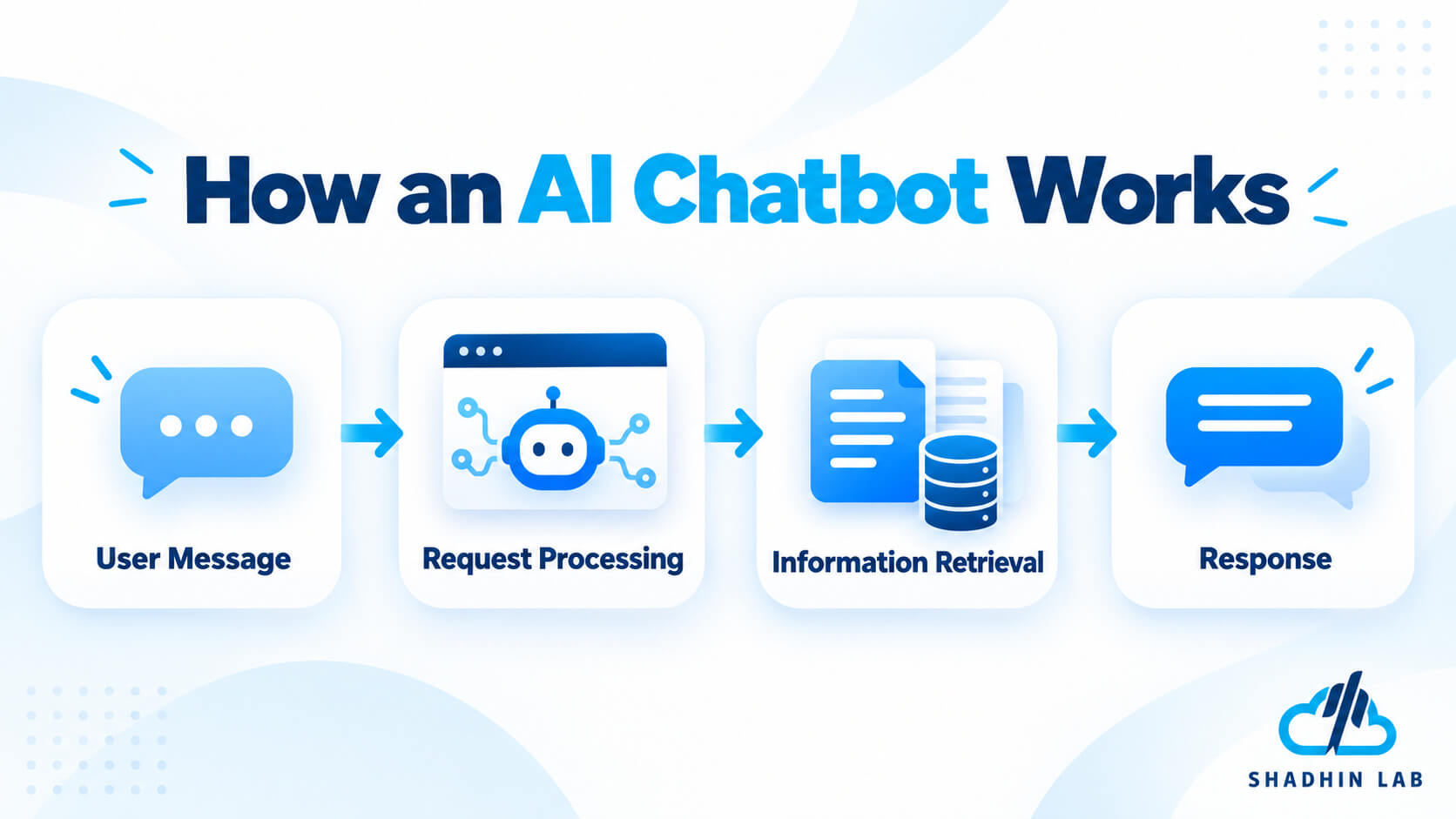
Some chatbots also use retrieval-augmented generation (RAG), which retrieves relevant information from approved sources before generating an answer. This can help a chatbot respond using company documentation, product information, or internal knowledge rather than relying only on the model’s general knowledge.
Integrations can extend these capabilities. A chatbot may look up an order, collect lead information, or create a support ticket through an API. More advanced implementations may incorporate agent-like task execution.
Common business use cases
Businesses use AI chatbots for website FAQs, product recommendations, lead capture, customer support, internal knowledge search, and guided troubleshooting.
For example, a software company might use a chatbot to explain subscription plans, answer questions about product features, and direct visitors to relevant documentation. An internal chatbot might help employees find leave policies or locate information in company documents.
Where chatbots may fall short
A chatbot may explain how to complete a task without actually completing it. If a customer needs a refund, for instance, the chatbot might provide instructions but lack access to the order-management system.
This limitation depends on the implementation, not on the word chatbot itself. A chatbot with suitable integrations can perform actions, while a basic chatbot may be limited to providing information.
A chatbot is often a sensible starting point when the primary requirement is reliable conversational assistance rather than complex task execution.
What Is an AI Agent?
An AI agent is a system designed to pursue a defined goal by interpreting information, selecting actions, and using available tools or connected systems. Depending on its architecture, it may perform several steps, inspect intermediate results, and adjust what it does next.
Unlike a simple question-and-answer interaction, an agent can be responsible for progressing toward an outcome.
How AI agents work
A typical AI agent follows a cycle:
- Receive a goal or trigger. The agent gets a request, event, or assigned task.
- Interpret the task. It identifies what needs to happen and determines an appropriate next step.
- Use an authorized tool. It may query a database, call an API, search approved sources, or update a business application.
- Inspect the result. It evaluates the returned information and determines whether another step is necessary.
- Complete, request approval, or escalate. It reports the outcome, continues within its permissions, or asks a person to handle an exception.
Not every AI agent performs complex planning or operates without human input. Its autonomy depends on its design, available tools, instructions, and permissions.
Common business use cases
AI agents can support prospect research, CRM updates, document processing, multi-step customer support, internal workflow coordination, and software development assistance.
For example, a sales agent might research a prospect using approved sources, summarize relevant business information, apply qualification criteria, and prepare a CRM update for review.
The value of an agent becomes clearer when the next action depends on context or an intermediate result. Microsoft’s agent-development guidance distinguishes open-ended agent tasks from workflows with explicitly defined execution paths.
What makes an AI agent useful?
An AI agent is most useful when a task requires flexible interpretation, tool use, and decisions about what to do next.
If a process consists of predictable steps that can be expressed as fixed rules, conventional automation may be easier to control and maintain. Adding an agent does not automatically make a system more effective.
What Is the Difference Between an AI Agent and a Chatbot?
An AI chatbot is primarily designed to communicate with users through conversation. An AI agent is designed to work toward a goal by interpreting a task, selecting actions, using available tools, and responding to the results.
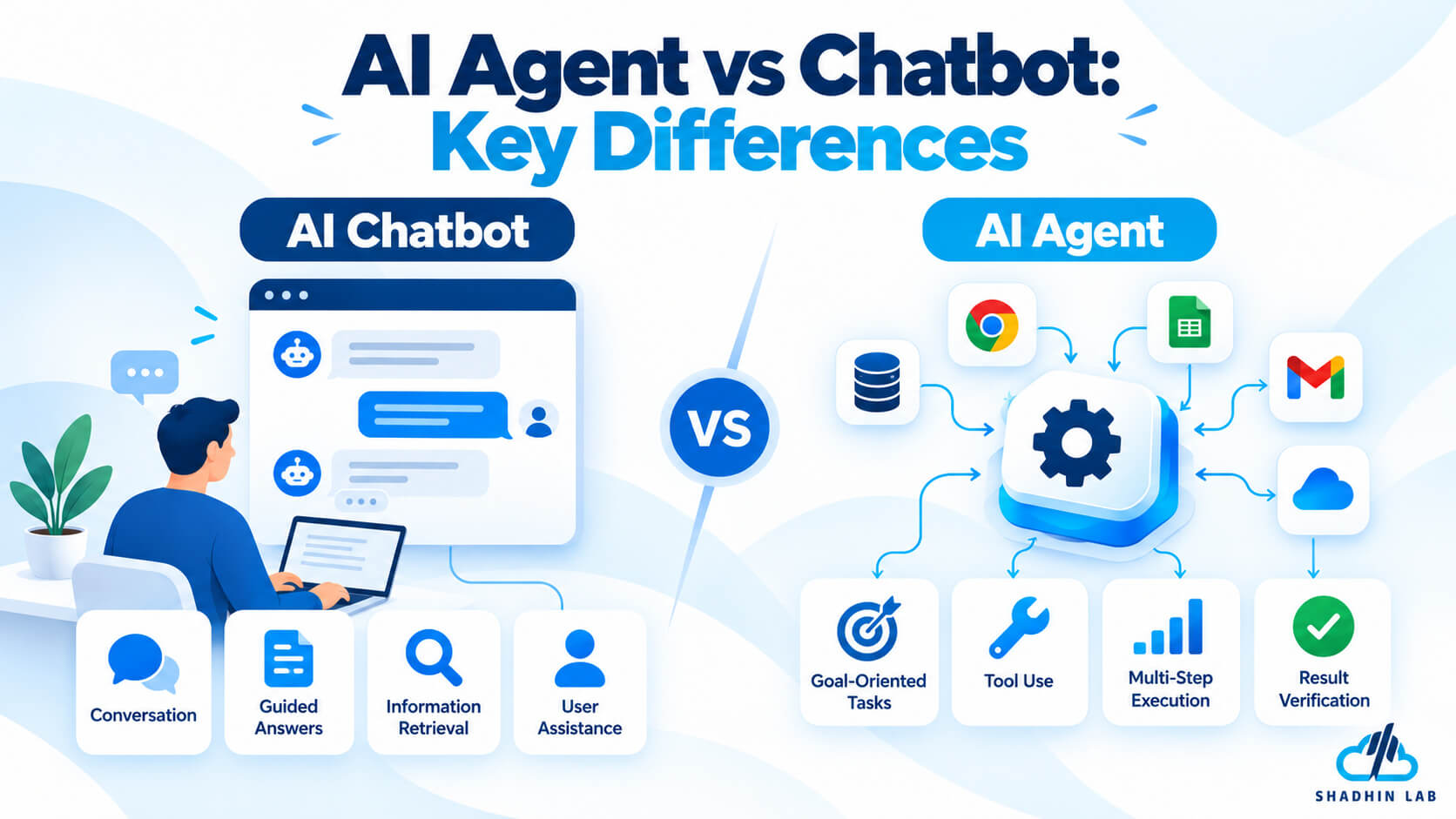
The main difference is the system’s role in completing a task, not simply whether it can answer questions or connect to other software.
For example, a chatbot might explain a company’s return policy and guide a customer through the return process. An agent-enabled system could retrieve the customer’s order, check return eligibility, initiate an authorized request, and update the relevant system.
However, these categories overlap. A chatbot can use APIs, retrieve customer information, and trigger actions. An AI agent can also operate through a chat interface. The actual capabilities depend on the system’s architecture, instructions, tools, and permissions.
| Feature | AI chatbot | AI agent |
| Main purpose | Conversational assistance | Goal-oriented task execution |
| Typical interaction | Answers questions and guides users | Works toward a goal across multiple steps |
| Tool use | May retrieve information or invoke tools | May coordinate tools and APIs to complete tasks |
| Decision-making | Depends on its design and integrations | Can make bounded decisions about the next action |
| Workflow execution | Often answers or guides; may also perform actions | Can execute and verify multi-step workflows |
| Human oversight | Useful for escalation and quality control | Important for permissions, exceptions, and sensitive actions |
These are general patterns rather than universal technical definitions. Some chatbots are highly integrated, while some AI agents perform only a narrow task. Evaluate what a system can actually do before deciding which category it belongs to.
AI Agent vs Chatbot: Three Real-World Examples
The differences become easier to understand when both approaches are applied to the same business problem.
1. Customer support
Chatbot: A customer asks about a return. The chatbot explains the return policy, provides the required conditions, and directs the customer to the appropriate page.
AI agent: The customer requests a return. The system retrieves the order through an authorized integration, checks eligibility against configured rules, prepares or initiates the return, and updates the relevant system.
The agent-enabled approach can reduce the number of manual steps, but it needs accurate order data and appropriate permissions. A refund or other sensitive action may require customer confirmation or human approval.
2. Sales and lead generation
Chatbot: A website visitor asks about AI development services. The chatbot explains the offerings, collects contact information, asks qualifying questions, and routes the inquiry to the sales team.
AI agent: A sales workflow receives a new lead, researches the company using approved sources, summarizes relevant information, applies qualification criteria, and drafts or updates CRM records.
The agent can coordinate more of the process, but the business should verify the information and control which records the system can change. Automated outreach must also follow company policies and applicable privacy requirements.
3. Internal business operations
Chatbot: An employee asks how to submit an expense claim. The chatbot explains the policy and provides the submission instructions.
AI agent: An employee submits a claim. An agent-enabled workflow retrieves the relevant details, checks them against configured rules, flags exceptions, and routes the claim to the appropriate approver.
The system can help organize the process without taking over every decision. Unusual claims or policy exceptions may still require a human reviewer.
These examples illustrate possible workflows rather than guaranteed features of every chatbot or agent platform. Actual capabilities depend on the available integrations, data quality, permissions, and implementation.
When Should a Business Choose a Chatbot?
A chatbot is often the right choice when the primary goal is to make information and assistance available through conversation.
Consider a chatbot when your business needs to:
- Answer frequently asked customer questions.
- Help visitors understand products, pricing, or services.
- Collect leads and route inquiries to the right team.
- Help employees search internal documentation.
- Guide users through routine support processes.
A narrowly scoped chatbot can be easier to deploy, evaluate, and maintain than a system designed to coordinate many actions across business applications.
However, a successful chatbot still needs reliable information sources, clear boundaries, privacy controls, and a way to escalate questions it cannot answer confidently. Businesses should monitor answer quality and check whether users can find the information they need.
Do not build an AI agent merely because the technology is available. If users mainly need accurate answers or straightforward guidance, a well-designed chatbot may solve the problem with less implementation complexity.
When Should a Business Choose an AI Agent?
Choose an AI agent when the required outcome involves multiple steps, connected applications, conditional decisions, or actions that depend on intermediate results.
For example, qualifying a lead may require researching a company, comparing information against qualification criteria, checking CRM records, and preparing an update. A document-processing workflow might extract information, compare it with business rules, identify missing details, and route exceptions for review.
Before implementing an agent, establish a few essentials:
- A clear goal: Define what the system should accomplish and how success will be measured.
- Reliable tools and data: Ensure the agent can access the information it needs without receiving unnecessary permissions.
- Appropriate controls: Decide which actions it can complete independently and which require approval.
- Testing: Evaluate incorrect inputs, failed integrations, unexpected results, and exception scenarios.
- Monitoring and escalation: Record important actions, track errors, and provide a way to stop or redirect problematic behavior.
An agent is not always the best solution. If a workflow follows fixed rules and has a predictable sequence, conventional automation may be more reliable and easier to test.
Can an AI Agent and a Chatbot Work Together?
Yes. Businesses can combine a chatbot interface with an AI agent or controlled workflow. The chatbot handles the conversation, while the underlying system performs authorized actions.
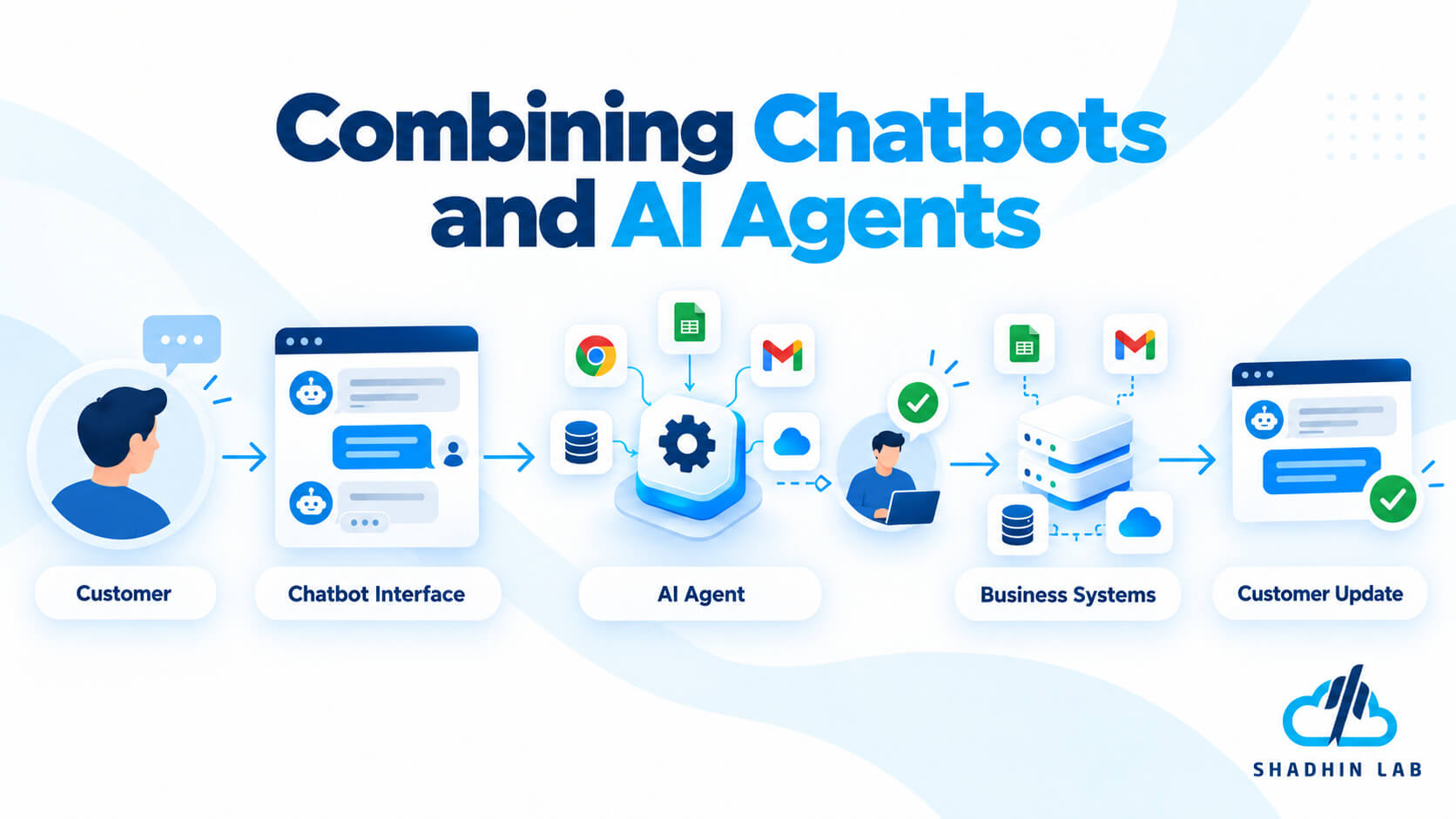
Consider a customer-support workflow:
- A customer describes a problem through the chatbot.
- The system identifies the request and collects the necessary details.
- An agent retrieves relevant order information through an authorized integration.
- The system proposes or performs an approved action.
- The customer receives an update, or the request is escalated to a human support representative.
This approach combines a familiar conversational experience with the ability to complete tasks in connected systems.
A hybrid architecture can be useful when customers need both explanations and action. For instance, the system can explain a return policy, check an order, and prepare a return request without forcing the customer to navigate several separate interfaces.
However, the additional capabilities introduce additional responsibilities. Businesses must define tool permissions, log important actions, test failure scenarios, and require approval for sensitive operations where appropriate.
OWASP’s guidance on agentic applications highlights the importance of controlling agent authority and preventing unintended actions.
The objective is not to give an AI system as much autonomy as possible. It is to give it enough capability to complete a clearly defined task safely and reliably.
AI Agent vs Chatbot: Cost, Complexity, and Risk
The cost of an AI chatbot or agent depends on its scope, technology, integrations, usage, and ongoing maintenance. Neither category is automatically cheaper in every situation.
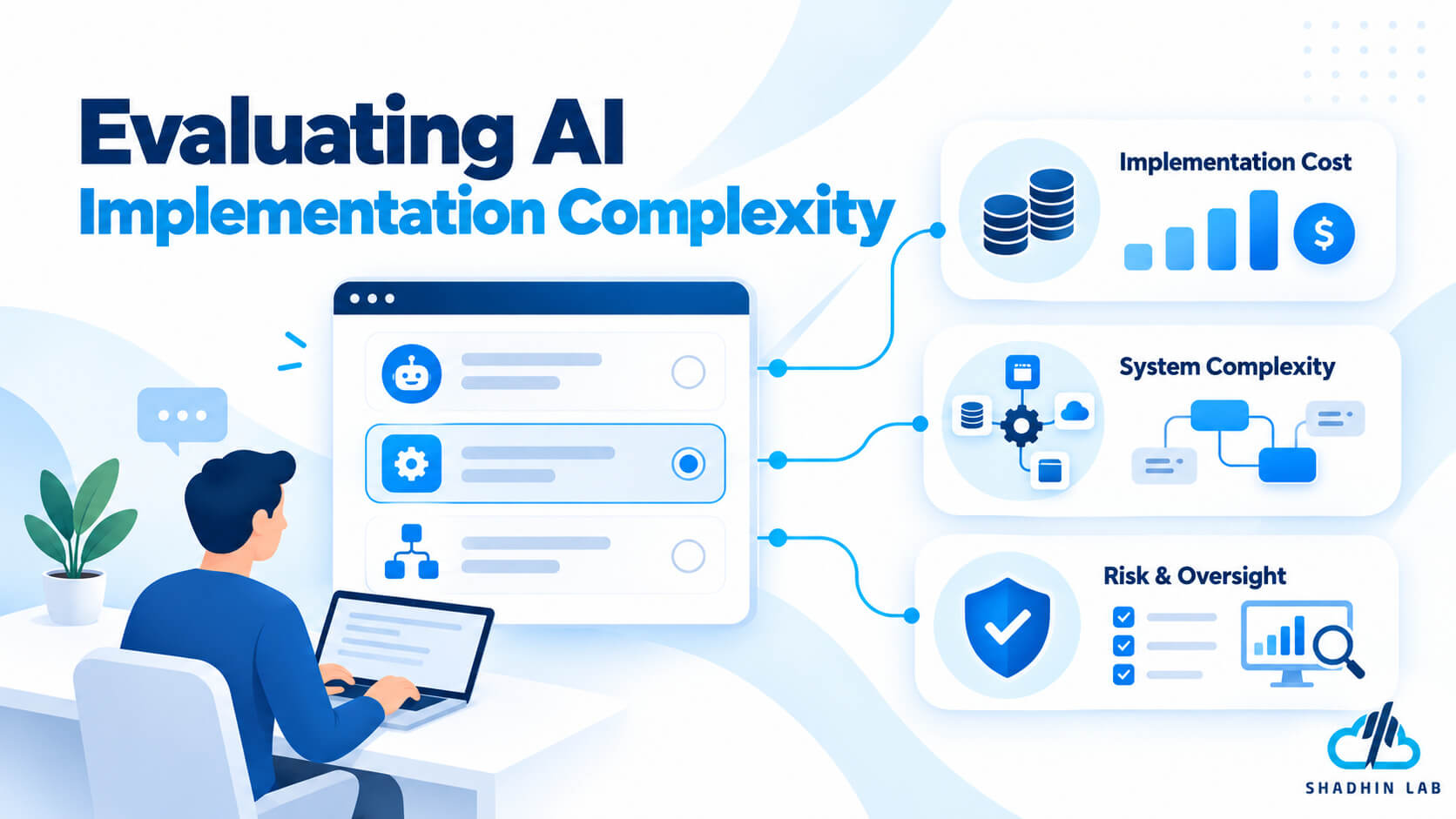
| Factor | AI chatbot | AI agent |
| Implementation | May be simpler for a narrow use case | May need additional task logic and integrations |
| Data access | Depends on its knowledge sources and connected systems | May need access to several tools or business applications |
| Testing | Focuses on answer quality, retrieval, and escalation | Also tests actions, permissions, and failure paths |
| Governance | Requires privacy controls and answer-quality monitoring | Adds considerations around tool use and unintended actions |
| Maintenance | Includes knowledge updates and integration upkeep | Also includes workflow and action-performance monitoring |
| Success metrics | Answer quality, resolution rate, escalation rate | Task completion, error rate, time saved, and human intervention |
Total cost may include model usage, development, infrastructure, integration work, testing, monitoring, and ongoing maintenance. More capable systems may also require additional governance and operational support.
A chatbot connected to several complex systems can be more demanding than a narrowly scoped agent. Conversely, an agent that coordinates many applications can require substantially more engineering and oversight than a simple chatbot.
Evaluate the complete implementation rather than comparing technology labels alone.
Choosing the right AI architecture for your business
Businesses evaluating a chatbot, an AI agent, or an integrated workflow should start by defining the task, required integrations, acceptable risk, and expected outcome.
How to Choose Between an AI Agent, a Chatbot, and Automation
The simplest way to make a decision is to identify what the system needs to accomplish, then select the least complex approach that can reliably do the job.
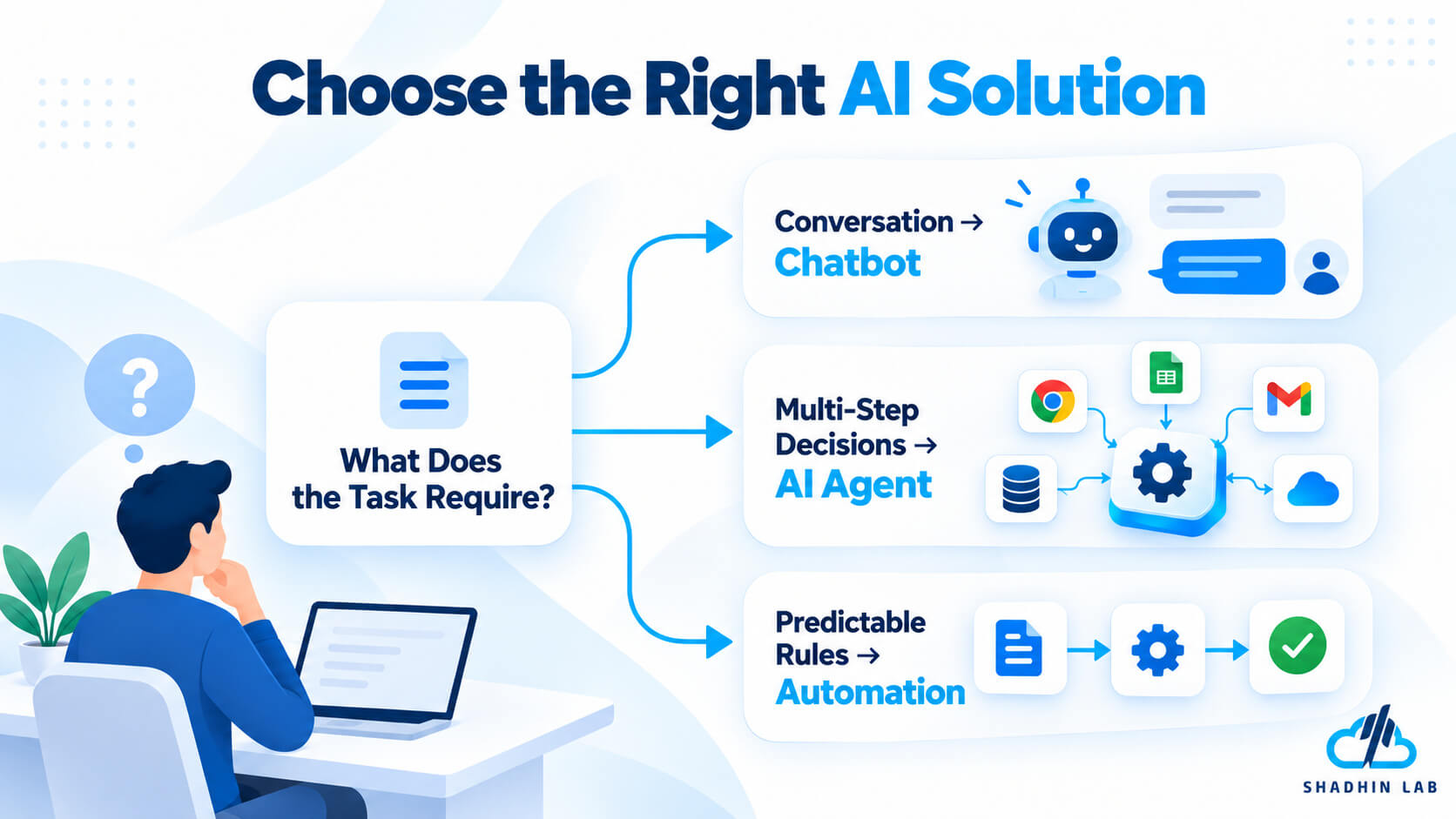
Choose a chatbot when the main goal is conversation
Use a chatbot to answer questions, explain services, collect information, provide guidance, or help users navigate a support process. It is often suitable when the interaction itself is the primary requirement.
Choose an AI agent when the task requires adaptive execution
Use an agent when the system must work toward a goal across several steps, use connected tools, and adjust its next action based on the results it receives.
Choose a hybrid when users need both conversation and action
A chatbot can gather information and explain progress while an agent or controlled workflow carries out authorized tasks in the background. This can be useful for customer support, sales operations, and internal business services.
Choose conventional automation when the process is predictable
If a task has clearly defined steps, conditions, and outcomes, a traditional automated workflow may be easier to test and control. For example, sending a notification when a form is submitted may not require an AI agent at all.
Microsoft’s Agent Framework guidance recommends workflows when execution paths are well defined and agents when autonomous tool use or planning is needed.
Before deciding, ask:
- What task needs to be completed?
- Does the system need to answer, act, or do both?
- Which data sources and integrations are required?
- What happens if the system makes a mistake?
- Which actions require human approval?
- How will success be measured?
Answering these questions helps prevent unnecessary complexity and keeps the implementation focused on business needs.
Frequently Asked Questions
Is an AI agent the same as a chatbot?
No. A chatbot primarily provides a conversational interface, while an AI agent is designed to pursue goals through tool use and task execution. The categories overlap because a chatbot can incorporate agent capabilities, and an agent can operate through a chat interface.
Can a chatbot perform actions?
Yes. A chatbot can connect to APIs and business systems to retrieve information, create records, or trigger approved actions. The difference is not simply whether it can act, but how the system coordinates actions and works toward a goal.
Is ChatGPT a chatbot or an AI agent?
ChatGPT provides a conversational interface and can support more agent-like task execution when the relevant tools and capabilities are available. Its role depends on the specific experience, enabled capabilities, and task being performed rather than the product name alone.
Which is better for customer service?
A chatbot can be effective for routine questions, policy explanations, and guided support. An agent-enabled system may help when resolving a request requires several steps across business applications. Many businesses can use both, with human escalation for complex or sensitive cases.
Are AI agents more expensive than chatbots?
Not necessarily. Costs depend on development scope, model usage, integrations, infrastructure, testing, and maintenance. A narrowly scoped agent may be straightforward to implement, while a heavily integrated chatbot can also require substantial engineering.
Can a chatbot be upgraded into an AI agent?
Potentially. A chatbot can be extended with tools, controlled actions, and workflow logic. However, the upgrade may require changes to the architecture, permissions, testing, monitoring, and approval processes. Adding integrations alone does not guarantee reliable agent behavior.
Are AI agents fully autonomous?
No. The level of autonomy depends on the system’s design, available tools, and permissions. Businesses can require human approval for sensitive actions, limit which systems an agent can access, and configure escalation paths for exceptions.
Is an AI agent better than traditional automation?
Not always. AI agents can help when tasks require flexible interpretation and decisions based on changing context. Traditional automation is often preferable when the process is predictable and can be expressed through explicit rules. Some solutions combine both approaches.
Conclusion
The key difference in the AI agent vs chatbot comparison is the job each system is designed to perform. Chatbots primarily support conversations, while AI agents can use tools and execute multi-step tasks toward defined goals. Modern systems may combine both capabilities, so businesses should evaluate what the technology actually does rather than relying on its label.
Start with the simplest approach that solves the problem. Choose a chatbot for conversational assistance, an AI agent for tasks requiring adaptive execution, and conventional automation for predictable workflows. For more complex applications, combine the right interface with clear permissions, appropriate testing, and human oversight.
If your business is exploring custom chatbots, AI agents, or integrated AI workflows, choose an implementation approach that aligns with your operational needs and risk requirements.

Shaif Azad
Shaif Azad Rahi is an AI/ML professional and Solution Engineer at Shadhin Lab, specializing in AI-powered solutions and scalable software systems, with a focus on applying AI to solve real-world business challenges.
Related Post
AI for Lead Generation: Strategies, Tools, and Workflows
Generating leads is not just about finding more potential customers. Businesses need to identify the right...
AI Email Assistant Guide: Write, Reply, and Save Time
Email can quietly consume hours of your workweek. Reading long threads, drafting replies, rewriting awkward messages,...
AI Risk Management: Frameworks, Challenges & Best Practices
Are you someone who lies awake wondering if your AI systems might suddenly make catastrophic decisions?...
