
Best AI Agent Builders: 7 Tools Compared
Table of Contents
AI agent builders make it possible to create AI systems that do more than answer questions. They can use tools, connect to business applications, retrieve information, and execute multi-step workflows. However, choosing the right platform can be difficult.
Some tools help nontechnical users automate everyday tasks, while others give developers greater control over complex AI systems. Enterprise platforms also offer ways to build agents around existing business software.
This guide compares seven AI agent builders, explaining their strengths, limitations, and ideal use cases so you can choose a platform that fits your team and business goals.
Table of Contents
Key Takeaways
- The best AI agent builder depends on your needs. Consider your technical skills, workflow complexity, integrations, and deployment requirements before choosing a platform.
- No-code tools simplify development. Platforms such as Zapier Agents help business teams connect AI agents to existing applications.
- Low-code platforms offer workflow flexibility. Tools such as n8n and Microsoft Copilot Studio support more structured workflows and business integrations.
- Developer frameworks provide greater control. LangGraph and CrewAI are options for teams building customized agent workflows.
- Production readiness matters. Evaluate security, testing, monitoring, human approval, and operating costs before deploying an agent.
What Is an AI Agent Builder?
An AI agent builder is a platform, framework, or development environment used to create AI systems that can interpret goals, use tools, access authorized information, and perform tasks. Depending on the platform, these tasks may include updating CRM records, retrieving information from internal documents, processing requests, or coordinating several steps in a business workflow.
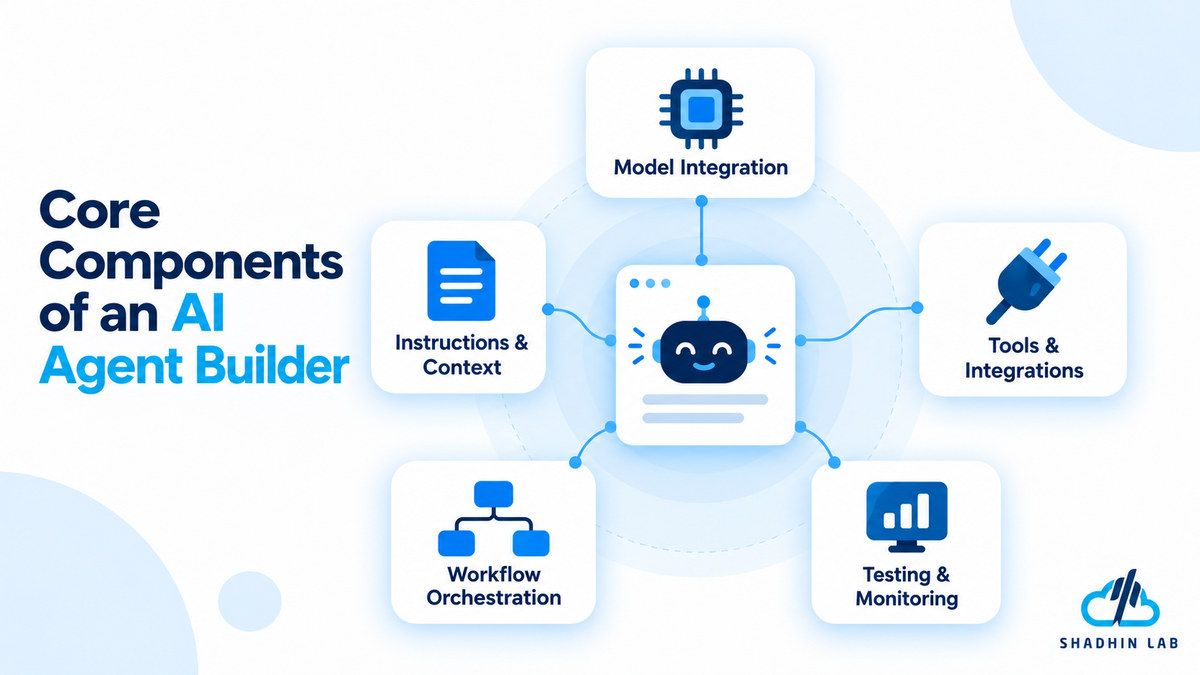
Most AI agent builders provide some combination of the following components:
- Model integration: Connects the agent to an AI model that interprets requests and helps determine the next action.
- Instructions and context: Defines the agent’s role, objectives, constraints, and expected behavior.
- Tools and integrations: Gives the agent access to approved APIs, databases, and business applications.
- Workflow orchestration: Controls how tasks progress, how results are evaluated, and what happens when a step fails.
- Testing and monitoring: Helps teams evaluate performance, inspect execution logs, and troubleshoot problems.
Not every platform provides all these capabilities in the same way. Visual builders offer graphical interfaces for configuring agents, while developer frameworks provide components and programming interfaces for creating custom implementations.
An important distinction is that building an AI agent is not the same as making every workflow autonomous. Some processes are better handled by predictable rules, with AI used only for tasks that require interpretation or flexible decision-making.
Best AI Agent Builders at a Glance
The following platforms serve different audiences, from business users who want to automate existing applications to developers building customized agent systems.
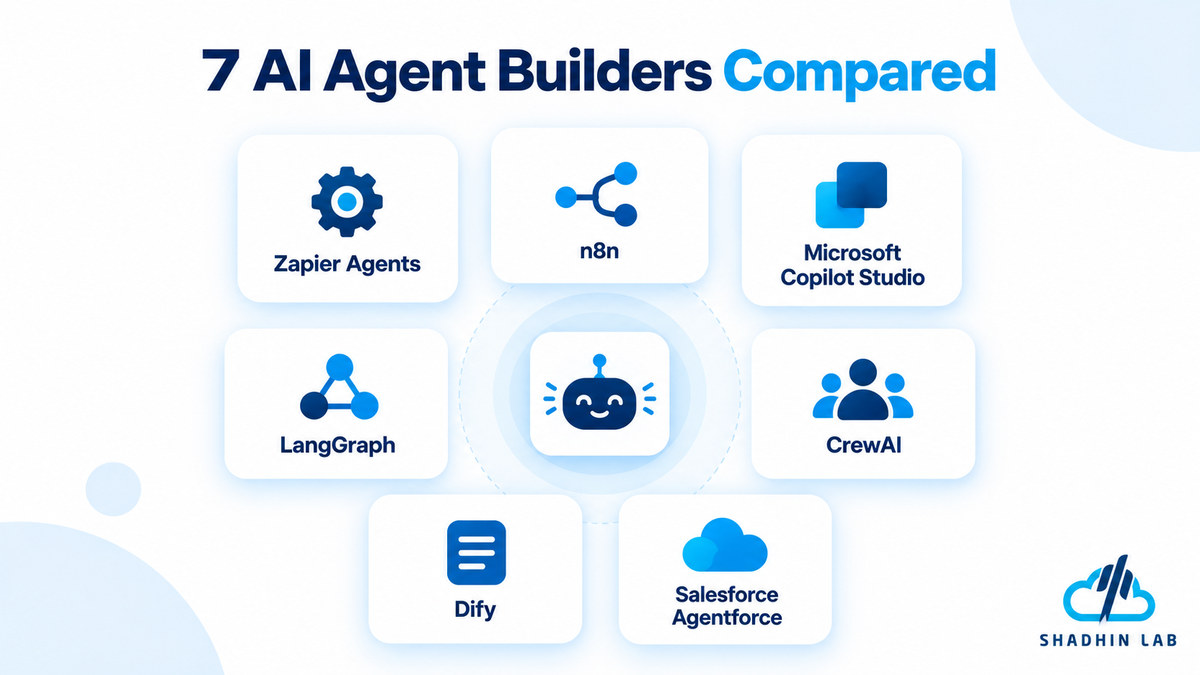
| AI Agent Builder | Best Suited For | Builder Type | Main Consideration |
| Zapier Agents | Connecting AI agents to business applications | No-code | Integration coverage and activity limits |
| n8n | Flexible, connected AI workflows | Low-code and self-hostable | Flexibility versus setup and maintenance |
| Microsoft Copilot Studio | Microsoft-centered organizations | Low-code and enterprise | Ecosystem fit and licensing |
| LangGraph | Custom, stateful agent workflows | Code-first framework | Requires engineering expertise |
| CrewAI | Coordinating specialized AI agents | Code-first framework | Orchestration and evaluation complexity |
| Dify | Visual AI application development | Visual builder and open source | Deployment and customization requirements |
| Salesforce Agentforce | Salesforce-centered business processes | Enterprise platform | Salesforce ecosystem fit and licensing |
These are category-based recommendations, not a universal ranking. A no-code automation platform and a developer framework solve different problems, so the right choice depends on the application you want to build.
7 Best AI Agent Builders for Different Needs
1. Zapier Agents — Best for Connecting Business Apps
Best for: Sales, marketing, operations, and small business teams that want to automate tasks across multiple applications.
Zapier Agents helps teams create AI agents that use connected applications and business information to carry out tasks. Instead of developing every integration from scratch, users can build on the application’s existing automation ecosystem.
For example, a sales team might want to review incoming leads, gather information from connected sources, and prepare CRM updates. An agent-based workflow could help with these tasks, provided the required integrations and actions are supported.
Zapier Agents is worth considering when the main goal is to connect AI-driven decisions with existing business software rather than build an agent framework from the ground up.
Key strengths
- Makes agent creation more accessible to nontechnical users.
- Connects agent workflows to supported applications.
- Allows users to define behavior through instructions and available tools.
- Fits organizations that already use Zapier for business automation.
Limitations to consider
The platform’s suitability depends on the integrations and actions available for your specific workflow. A connection to an application does not necessarily mean every operation is supported. Activity limits, task complexity, subscription costs, and available approval controls also deserve attention.
Before choosing Zapier Agents, map the complete workflow and verify that the agent can perform each required action.
Our take: Consider Zapier Agents if your business wants to connect AI capabilities to existing SaaS applications without building and maintaining every integration independently.
Explore the official Zapier Agents website for current capabilities and availability.
2. n8n — Best for Flexible AI Workflows
Best for: Technical founders, automation specialists, and development teams that need control over connected workflows.
n8n is a workflow automation platform that supports AI-related workflows alongside conventional automation logic. This combination is useful when a process needs both flexible AI interpretation and predictable execution steps.
For example, an AI-assisted support workflow might classify an incoming request, retrieve relevant information, and prepare a response. Deterministic steps could then route the request, check required fields, or send the result for human approval.
This approach helps teams avoid giving an AI model responsibility for decisions that ordinary workflow rules can handle more reliably.
Key strengths
- Combines AI agent steps with conventional workflow logic.
- Connects to supported applications, APIs, databases, and custom code.
- Provides workflow execution visibility for troubleshooting.
- Offers self-hosting options for teams that want greater control over their deployment environment.
Limitations to consider
n8n can require more technical knowledge than a simple no-code tool. Self-hosted deployments also introduce infrastructure, security, updating, backup, and maintenance responsibilities. More complex workflows need careful testing to ensure that errors do not propagate through subsequent steps.
Teams should also determine which execution, approval, and monitoring capabilities are available in their intended deployment and plan.
Our take: n8n is a strong candidate when you need to connect AI agents to business processes while retaining visibility into how each workflow operates. It is particularly relevant for teams that can manage the technical side of implementation.
Visit the official n8n AI agents page to review its current capabilities.
3. Microsoft Copilot Studio — Best for Microsoft-Centered Businesses
Best for: Organizations already using Microsoft 365, Power Platform, or related Microsoft business systems.
Microsoft Copilot Studio provides a graphical, low-code environment for building and managing agents. It is worth evaluating when an organization wants AI agents to work with its existing business information, applications, and workflows.
For instance, an internal employee assistant might help staff find organizational information or initiate an approved business process. Depending on the configuration and available integrations, an agent can connect to relevant knowledge sources and supported systems.
The platform’s appeal is its relationship with the broader Microsoft ecosystem. Organizations can evaluate agent development alongside their existing tools and governance requirements rather than treating it as a completely separate technology project.
Key strengths
- Provides a graphical environment for agent development.
- Supports connections to organizational knowledge and business systems.
- Can integrate with supported workflows and deployment channels.
- Offers an option for organizations already invested in Microsoft’s business ecosystem.
Limitations to consider
Licensing and usage costs need careful evaluation. Advanced integrations may also require technical expertise, and organizations should understand how their chosen configuration fits their existing systems.
Do not assume that every Microsoft application, data source, or workflow will be available automatically. Verify the required connectors, permissions, and deployment options before committing to a solution.
Our take: Microsoft Copilot Studio deserves consideration when your organization already relies on Microsoft business tools and wants an agent-building environment that fits that ecosystem.
Review Microsoft Copilot Studio and its official documentation for current capabilities and licensing information.
4. LangGraph — Best for Custom Agent Workflows
Best for: Developers building customized agents that require explicit control over execution and state.
LangGraph is a developer framework for building agent workflows. Rather than relying entirely on a packaged visual interface, developers can define how tasks progress, how information is maintained, and how different parts of an agent system interact.
This level of control becomes valuable when an application has complex requirements. For example, an agent might need to gather information, evaluate intermediate results, request human approval, and resume execution afterward. The workflow may also need to preserve state when a task is interrupted.
LangGraph is designed for developers who want to define these behaviors as part of their application’s architecture.
Key strengths
- Supports customizable agent workflows and execution paths.
- Provides mechanisms for stateful execution and persistence.
- Can support human-in-the-loop steps where approval is required.
- Allows developers to combine predictable logic with agent-driven decisions.
Limitations to consider
LangGraph requires programming and software engineering expertise. Teams must also plan for deployment, observability, evaluation, error handling, and ongoing maintenance. The framework provides building blocks, but developers remain responsible for designing a reliable application.
It may be unnecessary for a simple automation task that an existing workflow platform can handle with less development effort.
Our take: Consider LangGraph when your team needs control over agent behavior, state management, and complex execution paths. It is more suitable for engineering-led projects than for users looking for a quick no-code solution.
Visit the official LangGraph website for framework details and documentation.
5. CrewAI — Best for Coordinating Multiple AI Agents
Best for: Developers building workflows that benefit from specialized agent roles.
CrewAI focuses on coordinating AI agents that can take on different responsibilities within a larger task. Rather than asking one agent to handle every stage, developers can structure a workflow around specialized roles.
Consider a research workflow that involves gathering information, analyzing findings, and preparing a report. A team might assign different responsibilities to separate agents, then coordinate their outputs through a defined process.
However, adding more agents does not automatically improve the result. Each additional agent introduces another component that needs instructions, tools, evaluation, and error handling.
CrewAI distinguishes between collaborative agent teams, called Crews, and Flows, which provide a more structured way to coordinate execution.
Key strengths
- Supports role-based agent design.
- Provides an approach for coordinating specialized agents.
- Allows developers to structure more controlled workflows.
- Can be considered for research, analysis, and other multi-step processes.
Limitations to consider
Multi-agent systems can be harder to debug than simpler designs. One agent may produce incorrect information that influences the work of another, while repeated model calls can increase operating costs and latency.
Teams should also establish how agents share information, when a workflow should stop, and which outputs require verification. Before introducing several agents, test whether a single agent or conventional workflow could achieve the same result.
Our take: CrewAI is worth exploring when a task genuinely benefits from multiple specialized roles. Start with a clearly defined workflow and add agents only when the additional coordination provides a practical benefit.
Explore the official CrewAI website and documentation for current development options.
6. Dify — Best for Visual AI Application Development
Best for: Teams that want to develop AI-powered applications through a visual interface.
Dify is an AI application development platform that helps teams build AI-powered applications and workflows. Its visual development approach can reduce the amount of boilerplate code needed to assemble an application.
Depending on the features available in the chosen version and deployment, teams can evaluate Dify for applications that connect language models to knowledge sources, retrieval-augmented generation (RAG), and tool-enabled workflows.
For example, a company could explore building an internal knowledge assistant that retrieves relevant information from approved documents and uses an AI model to generate a response. The implementation would still need appropriate access controls, retrieval testing, and evaluation.
Key strengths
- Provides a visual approach to AI application development.
- Supports building applications that use language models and knowledge sources.
- Can reduce the need to implement every application component from scratch.
- Offers an option for teams evaluating open-source AI application development.
Limitations to consider
A visual interface does not eliminate the need for technical planning. Teams must still evaluate model compatibility, customization requirements, data handling, and production reliability.
Self-managed deployments also require infrastructure and ongoing maintenance. Before selecting Dify for an agent project, verify that its current agent and workflow capabilities meet the intended requirements.
Our take: Dify is worth considering when you want a visual development environment for AI applications and workflows without building every component independently.
Visit the official Dify website to review current features and deployment options.
7. Salesforce Agentforce — Best for Salesforce-Centered Workflows
Best for: Businesses that already use Salesforce and want to incorporate AI agents into CRM-related processes.
Salesforce Agentforce provides an environment for building and managing AI agents around Salesforce data and supported business processes. Its relevance is greatest when customer information, service workflows, or sales operations already depend on Salesforce.
For example, an organization might explore an agent that assists with customer service requests or supports a sales workflow using authorized CRM information. The agent’s actual responsibilities depend on its configuration, available actions, permissions, and connected systems.
An important consideration is that CRM-related agents need more than language-model capabilities. They must interact with business records correctly, respect access permissions, and handle situations where information is incomplete or an action requires human review.
Key strengths
- Connects agent development to Salesforce-centered workflows.
- Supports configuring agent behavior and available actions.
- Fits organizations that want to build on their existing CRM environment.
- Provides a platform-specific approach to testing and managing agents.
Limitations to consider
Licensing, implementation complexity, and dependence on the Salesforce ecosystem are important factors. Businesses should also assess whether their current CRM environment is the right foundation for the intended use case.
Before deployment, verify the required permissions, integrations, supported actions, and review processes. An agent should not receive broader access to customer information than its task requires.
Our take: Salesforce Agentforce is a natural candidate for businesses already using Salesforce that want to explore AI agents within their CRM operations. Organizations using other core systems should compare the benefits of adopting this ecosystem with the cost of introducing additional platform dependencies.
Explore Salesforce Agentforce for current product information.
How to Choose the Best AI Agent Builder
Choosing an AI agent builder starts with the workflow you want to improve, not the popularity of a particular platform. Use the following criteria to narrow your options.
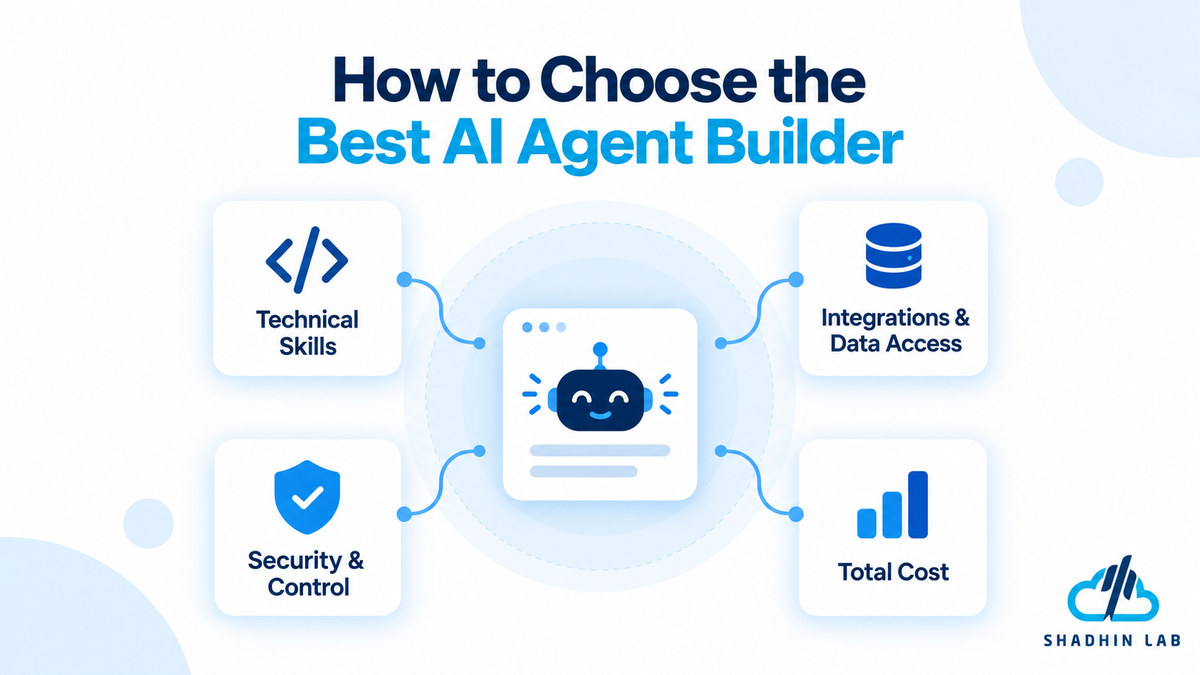
Match the Platform to Your Technical Skills
If business users need to automate straightforward tasks, a no-code platform may be the easiest starting point. A low-code builder can offer more flexibility when workflows need custom logic or several connected systems.
Developer frameworks are more suitable when the project requires customized execution paths, state management, or deeper control over the application’s architecture. However, greater flexibility also means more responsibility for implementation and maintenance.
Choose the simplest approach that can meet your actual requirements.
Check Integrations and Data Access
List the applications and information sources the agent needs to use. These might include a CRM, help desk, internal knowledge base, database, or project management tool.
Then verify that the platform supports the specific operations the workflow requires. A connector might allow an agent to read a record but not update it, or it might require permissions that your organization cannot grant.
Evaluate the complete workflow rather than counting the number of available integrations.
Evaluate Control and Security
Determine what information the agent can access and which actions it can perform. Review permission management, credential storage, execution logs, testing tools, and human approval options.
For higher-impact actions, such as modifying important records or initiating financial operations, consider requiring human review before execution. Test how the agent handles incomplete information, unexpected inputs, unavailable tools, and failed operations.
Also confirm that the platform’s deployment and data-handling options meet your organization’s requirements.
Estimate the Total Cost
The advertised subscription price is only one part of the cost of an AI agent.
Consider platform fees, model usage, workflow executions, hosting, integration development, monitoring, and maintenance. A self-hosted solution may reduce some licensing expenses while introducing infrastructure and operational work.
Estimate costs using the workload you actually expect to run. A small prototype may be inexpensive, but its production version could involve substantially more executions, data processing, and support.
No-Code vs. Low-Code vs. Code-First AI Agent Builders
AI agent builders generally fall into three broad categories. Although their capabilities can overlap, each approach involves different trade-offs.
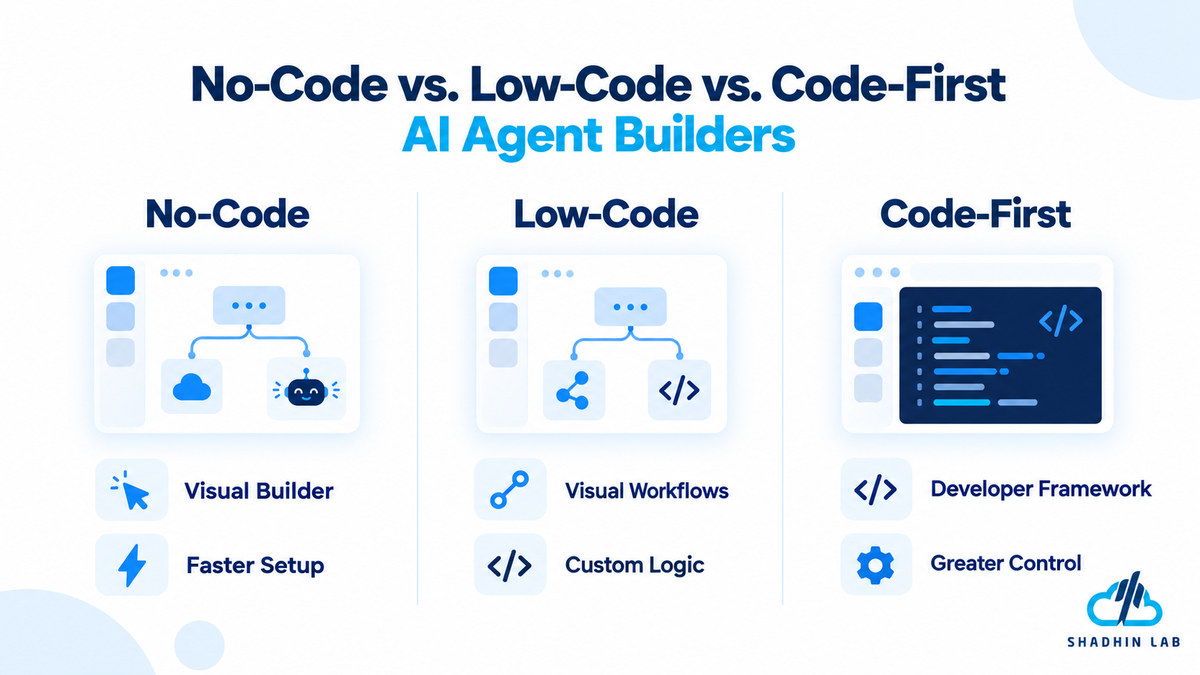
| Approach | Advantages | Trade-Offs | Suitable Users |
| No-code | Faster setup and a lower technical barrier | May limit customization or control | Business users and small teams |
| Low-code | Visual workflows with options for custom logic | Requires some technical knowledge | Automation specialists and technical operators |
| Code-first | Greater control over architecture and behavior | Requires software development expertise | Developers and engineering teams |
No-code builders prioritize accessibility. Users can often configure instructions, connect supported applications, and create workflows through a graphical interface. This can be useful for common business tasks, although advanced requirements may expose platform limitations.
Low-code platforms provide a middle ground. They combine visual workflow design with opportunities for custom logic, API calls, or code. This approach suits teams that need more control but do not want to build every component from scratch.
Code-first frameworks give developers greater control over execution, state, and application architecture. They can support complex requirements but demand more engineering effort and ongoing ownership.
These categories are not absolute. Visual platforms may allow custom code, while frameworks can provide reusable components. The right choice is the approach that meets your reliability, control, and maintenance requirements without adding unnecessary complexity.
Common Mistakes When Choosing an AI Agent Builder
Even a capable platform can be the wrong choice if it does not fit the workflow or the team responsible for maintaining it.
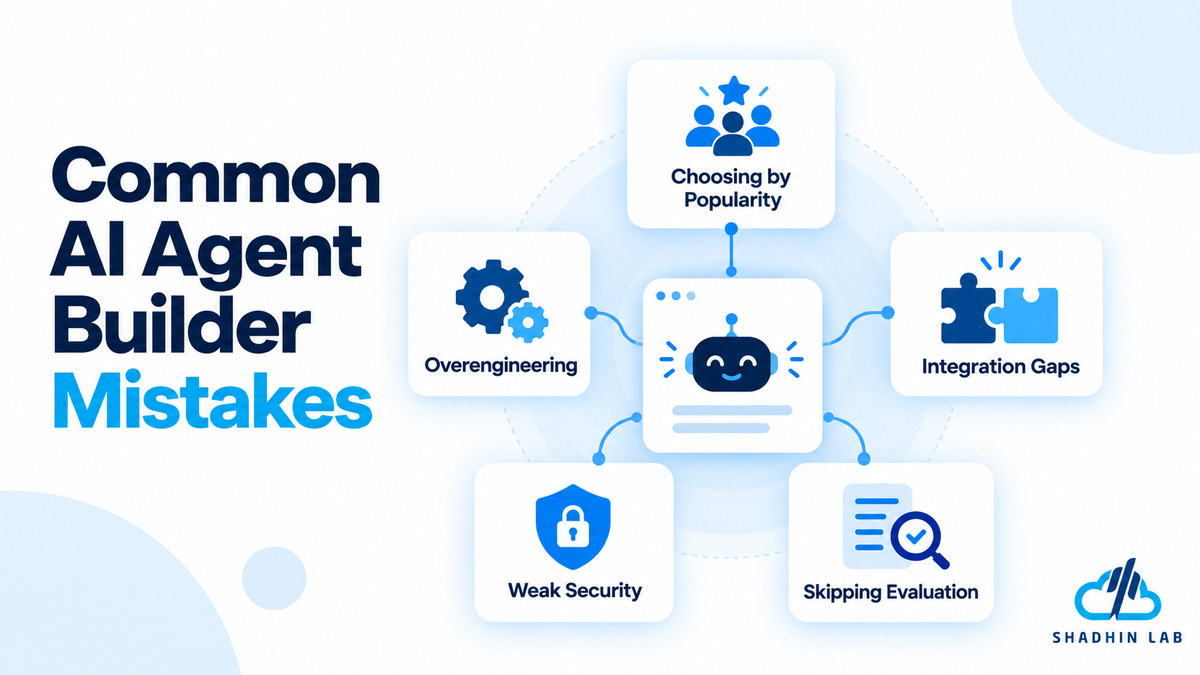
- Choosing by popularity alone: A widely discussed tool may not support your required integrations, deployment model, or technical skill level.
- Building an agent for a simple workflow: Predictable processes may work better with fixed rules and conventional automation. Use an agent when flexible interpretation or decision-making adds value.
- Ignoring integration limitations: Confirm that the platform supports the exact actions and permissions your workflow needs, not just a connection to the relevant application.
- Overlooking security and governance: Excessive access can expose sensitive information or allow unwanted actions. Give agents only the permissions they need.
- Skipping evaluation: Test realistic tasks, edge cases, failed tool calls, and human escalation before production deployment.
- Ignoring maintenance: Models, APIs, data sources, and business processes change. Assign responsibility for monitoring and updating the system.
Selecting a builder is only the first step. A dependable AI agent also needs a clearly defined task, appropriate data access, meaningful tests, and an owner who can respond when something goes wrong.
If your business needs help choosing an agent architecture, connecting business systems, or planning a custom AI workflow, explore ShadhinLab to learn about its AI solutions and services. Confirm the specific service scope and implementation capabilities with the team before proceeding.
Frequently Asked Questions
Can I build an AI agent without coding?
Yes. Some platforms provide visual interfaces and natural-language configuration that reduce the need to write code. However, advanced integrations, custom business logic, security requirements, and production deployment may still require technical assistance.
What is the difference between an AI agent builder and an AI agent framework?
An AI agent builder generally provides a more packaged environment for configuring and creating agents. An AI agent framework provides developers with components and programming interfaces for constructing and controlling agent behavior. The distinction varies by product, and some platforms combine elements of both approaches.
Are open-source AI agent builders free?
Some AI agent builders offer open-source versions, but that does not mean operating an agent is cost-free. Hosting, infrastructure, model usage, maintenance, monitoring, and support may create additional expenses. Review the license and deployment requirements before choosing an open-source option.
Can AI agents connect to CRMs and other business applications?
Yes, provided the selected platform supports the required integrations, APIs, and permissions. However, a connection does not guarantee that every action is available. Verify whether the agent can read, create, update, or otherwise interact with the records required by your workflow.
Are AI agent builders suitable for enterprise use?
Some platforms are designed for enterprise environments, while others require additional engineering and governance work. Evaluate access management, data handling, monitoring, deployment options, integration requirements, and applicable compliance obligations before selecting a platform.
Conclusion
The best AI agent builder is the one that fits your task, team, and operating environment—not necessarily the platform with the most features. No-code tools can help business users automate tasks, workflow platforms connect AI capabilities to existing applications, and developer frameworks offer greater control over complex implementations. Enterprise platforms may be a better fit when integration with an established business ecosystem is a priority.
Before committing, shortlist two or three suitable tools and build a small proof of concept. Test each against realistic tasks, verify its integrations and security controls, and estimate the full operating cost. If you are planning a custom AI agent or an integrated business workflow, explore ShadhinLab’s website to discuss your requirements and determine an appropriate implementation approach.

Shaif Azad
Shaif Azad Rahi is an AI/ML professional and Solution Engineer at Shadhin Lab, specializing in AI-powered solutions and scalable software systems, with a focus on applying AI to solve real-world business challenges.
Related Post
AI Agent vs Chatbot: Differences and Use Cases
Businesses are increasingly using AI to answer customer questions, support employees, and automate repetitive work. However,...
AI for Lead Generation: Strategies, Tools, and Workflows
Generating leads is not just about finding more potential customers. Businesses need to identify the right...
AI Email Assistant Guide: Write, Reply, and Save Time
Email can quietly consume hours of your workweek. Reading long threads, drafting replies, rewriting awkward messages,...
