
ERP vs CRM: Which Is Right for Your Business?
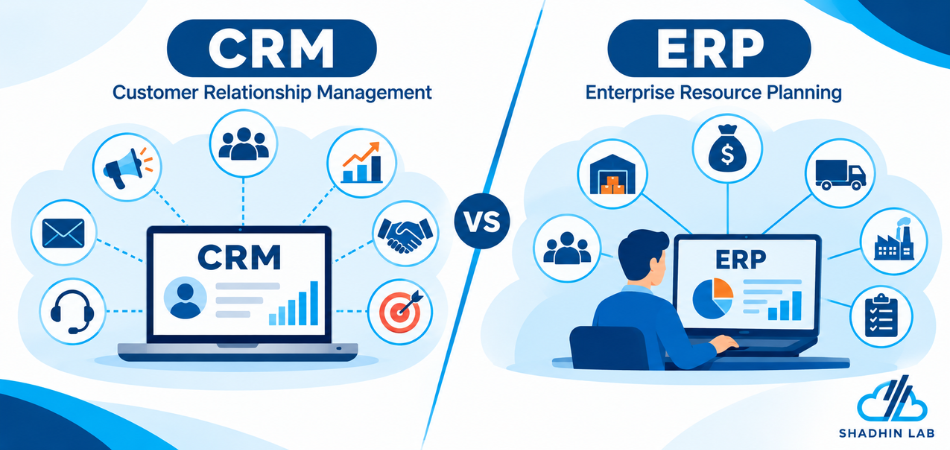
Table of Contents
Imagine a growing business where sales representatives track leads in spreadsheets while the operations team manages inventory, orders, and invoices in separate applications. Sales cannot confirm product availability quickly, finance spends hours reconciling records, and customer-service employees struggle to find order updates. This is where understanding ERP vs CRM becomes important.
Customer relationship management (CRM) software helps businesses manage customer relationships and sales activities, while enterprise resource planning (ERP) software coordinates internal processes such as finance, inventory, procurement, and operations. Understanding the difference helps businesses choose the right system—or determine when both may be useful.
Table of Contents
Key Takeaways
- CRM focuses on customer relationships, sales pipelines, customer interactions, and related workflows.
- ERP coordinates internal operations, including finance, inventory, procurement, purchasing, and order fulfillment.
- The right choice depends on your business problems and workflow complexity, not company size alone.
- Some businesses benefit from using CRM and ERP together.
- Integrating the systems can connect customer-facing activities with internal operations, but success depends on data quality, system compatibility, and clear workflow design.
What Is CRM Software?
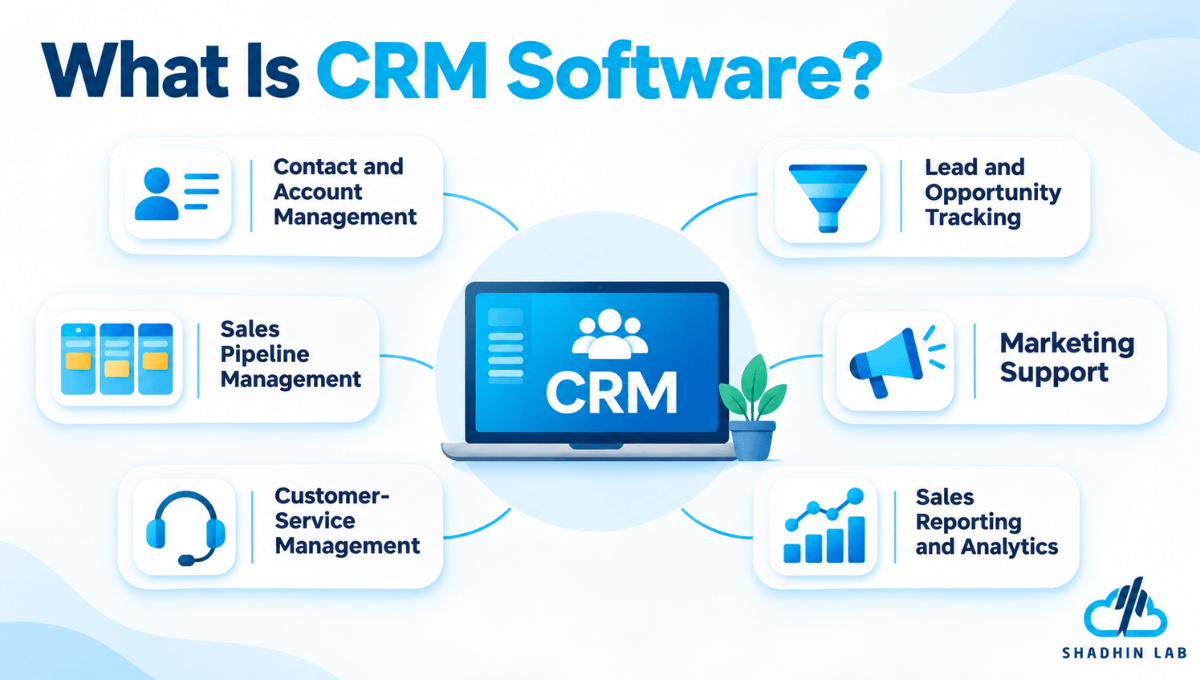
Customer relationship management (CRM) software helps businesses organize customer information and manage interactions throughout the customer lifecycle. It gives sales, marketing, and customer-service teams a shared view of leads, accounts, opportunities, communications, and relevant customer activities.
Instead of keeping contact details in spreadsheets and sales conversations in separate inboxes, a business can use CRM to maintain more consistent records and coordinate customer-facing work.
Common CRM Features
CRM capabilities vary by product, but many platforms offer some combination of:
- Contact and account management: Organize information about prospects, customers, and business accounts.
- Lead and opportunity tracking: Record inquiries, qualify potential customers, and monitor sales opportunities.
- Sales pipeline management: Track deals through stages, from initial contact to a decision.
- Marketing support: Organize campaigns, segment audiences, or automate selected marketing activities.
- Customer-service management: Record support cases and relevant customer interactions.
- Sales reporting and analytics: Review pipeline activity, opportunity status, and other customer-related information.
Together, these capabilities help teams manage the journey from an initial inquiry to a sale and, where relevant, continued customer engagement.
When Does a Business Need CRM?
CRM may be a useful starting point when sales representatives forget follow-ups, customer details are scattered across applications, or managers cannot easily determine which opportunities are progressing.
Consider a B2B services company that receives leads through its website and advertising campaigns. Its sales team uses CRM to record inquiries, schedule follow-ups, manage proposals, and track opportunities. Managers can then review pipeline activity without collecting separate spreadsheets from every representative.
The specific features available depend on the chosen CRM platform and its configuration.
What Is ERP Software?
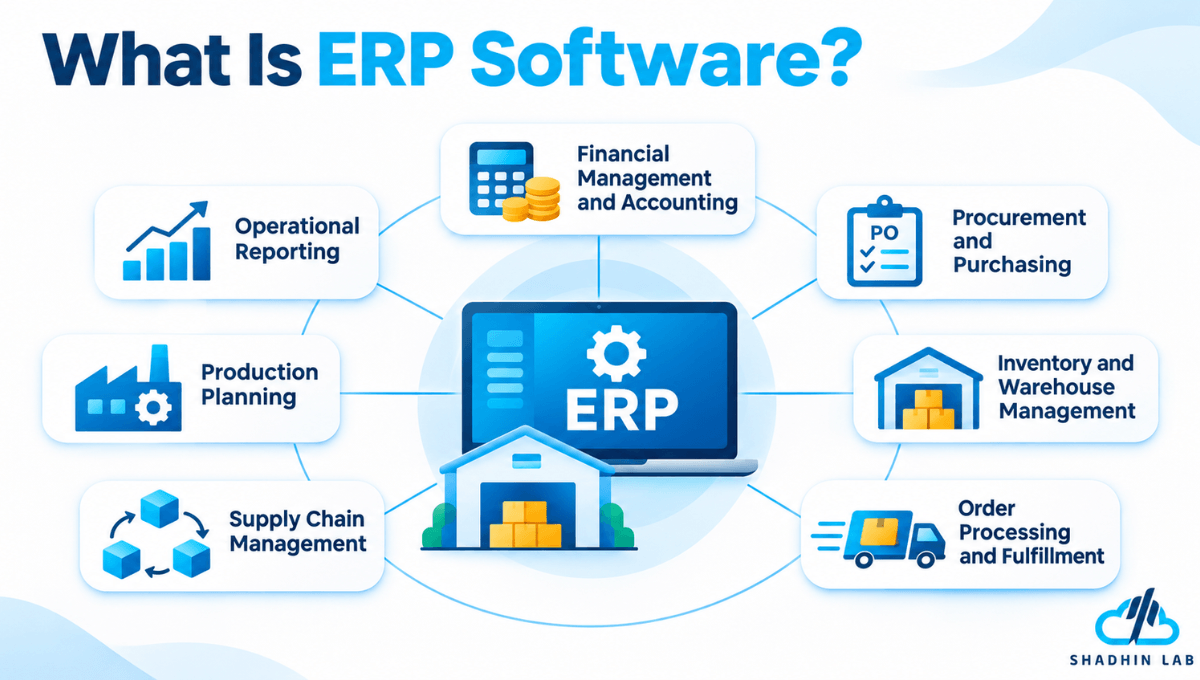
Enterprise resource planning (ERP) software helps businesses coordinate information and processes across internal functions. Rather than managing finance, purchasing, inventory, and operations as completely separate activities, an ERP system can connect relevant records and workflows in one broader business environment.
ERP is often associated with complex organizations, but it is not exclusively for large enterprises. A smaller company may also need ERP capabilities if its inventory, financial processes, purchasing activities, or order workflows have become difficult to coordinate.
Common ERP Features
Depending on the product and implementation, ERP software may include:
- Financial management and accounting: Manage financial transactions and support accounting and reporting.
- Procurement and purchasing: Coordinate purchasing activities and supplier-related records.
- Inventory and warehouse management: Track stock and support warehouse operations.
- Order processing and fulfillment: Coordinate relevant steps involved in processing and fulfilling orders.
- Supply chain management: Support activities related to sourcing, materials, and product movement.
- Production planning: Help manufacturers coordinate production activities where the relevant functionality is available.
- Operational reporting: Provide visibility into business processes and internal performance.
Not every ERP system includes every module. Businesses should evaluate the capabilities offered by a specific product rather than assuming that all platforms work in the same way.
When Does a Business Need ERP?
ERP may be worth evaluating when inventory records frequently conflict with actual stock, employees repeatedly enter the same transaction into different systems, or finance teams spend too much time consolidating reports.
For example, a manufacturer may need to coordinate raw materials, supplier purchases, production schedules, finished goods, customer orders, and financial records. An appropriately configured ERP system can connect these processes and help departments work with more consistent operational information.
ERP vs CRM: What Are the Main Differences?
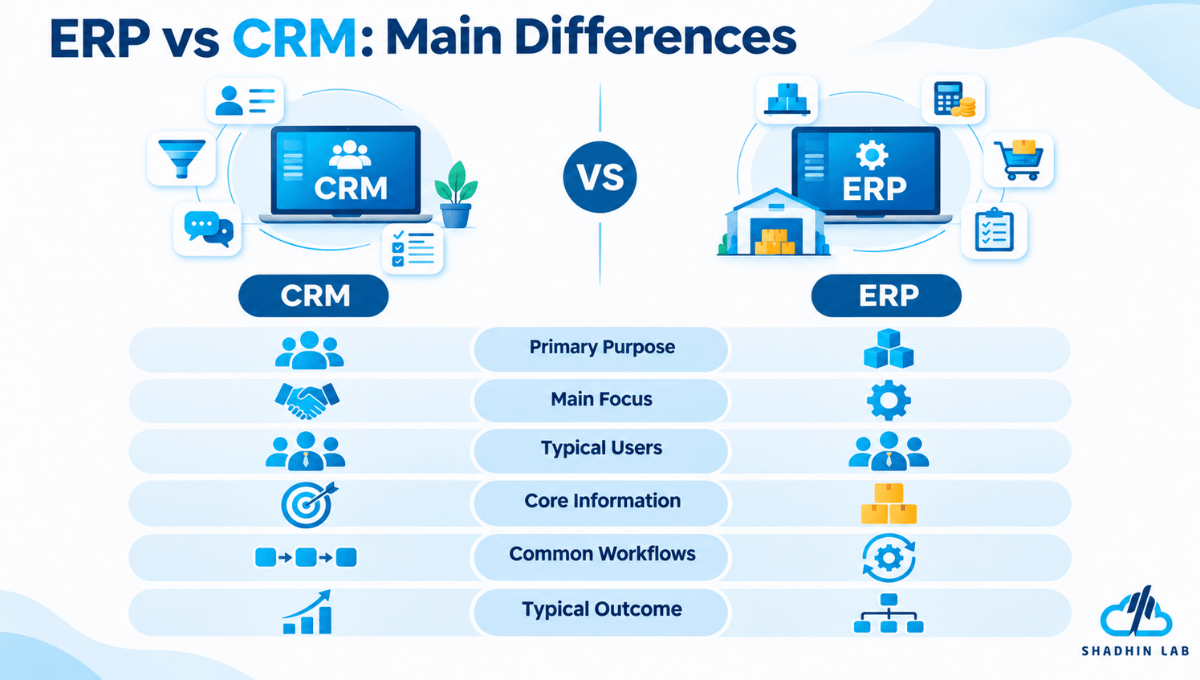
The main difference between ERP and CRM is their primary purpose. CRM manages customer relationships and customer-facing activities, while ERP coordinates internal business operations such as finance, inventory, procurement, and order fulfillment.
Both systems help businesses manage information, but they generally support different teams, workflows, and decisions.
| Comparison Factor | CRM | ERP |
| Primary purpose | Manage customer relationships | Coordinate internal business operations |
| Main focus | Customer-facing workflows | Organization-wide operational workflows |
| Typical users | Sales, marketing, and customer-service teams | Finance, operations, purchasing, and inventory teams |
| Core information | Leads, accounts, opportunities, customer interactions | Financial transactions, inventory, purchases, orders, operational records |
| Common workflows | Lead qualification, follow-ups, opportunity management | Purchasing, inventory control, financial reporting, order fulfillment |
| Main business question | Who are our customers, and what is happening with sales and relationships? | How are our resources, finances, and operational processes performing? |
| Typical outcome | Better visibility into customer relationships and sales activities | Better coordination and visibility across internal operations |
| Integration role | Shares customer and sales information with connected systems | Shares operational and transaction information with connected systems |
Are ERP and CRM Completely Different?
No. ERP and CRM can overlap in areas such as reporting, automation, data management, and integration. Some business software platforms combine CRM and ERP capabilities, while others focus on one category.
The important distinction is not whether a product includes a particular feature. It is whether the system can support the workflows your business needs.
For example, a CRM might show a sales representative the value of an opportunity, while an ERP system provides relevant information about inventory, purchasing, or order processing. The systems may complement each other when customer-facing and operational teams need to share information.
When comparing products, evaluate their actual capabilities and limitations rather than relying only on the labels ERP and CRM.
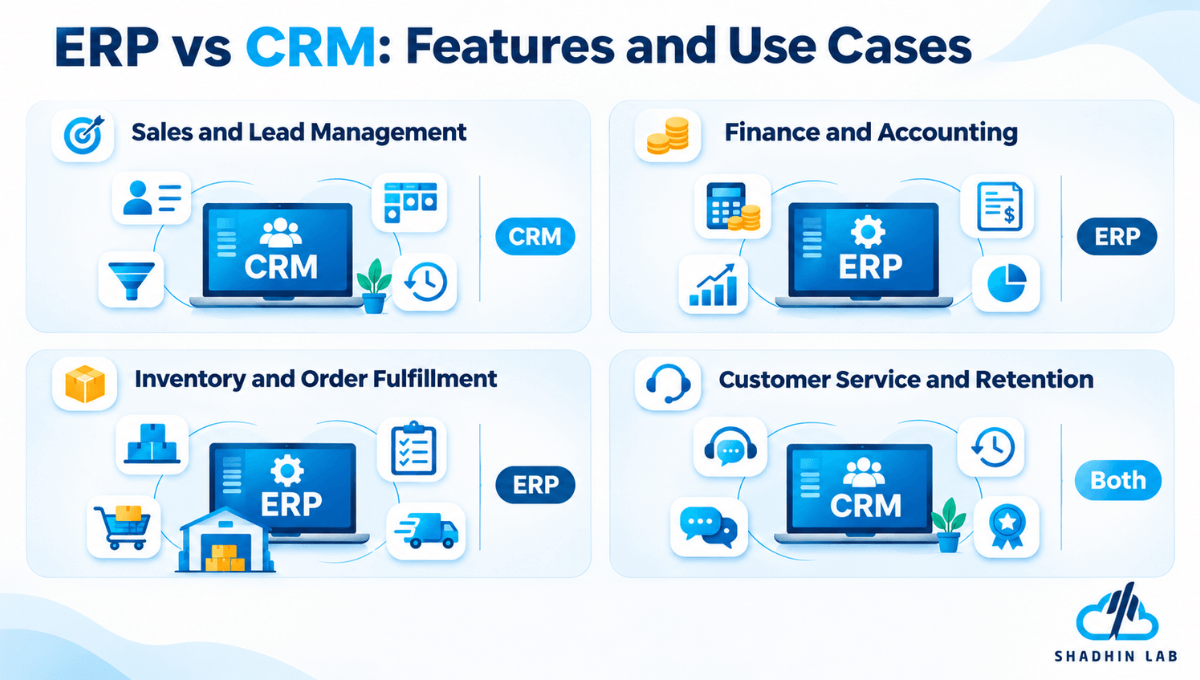
ERP vs CRM: Features and Business Use Cases
The practical difference becomes clearer when you look at how each system supports everyday business activities.
Sales and Lead Management
CRM helps sales teams record prospects, track customer interactions, manage opportunities, and follow up on potential deals. Sales managers can use relevant CRM reports to understand pipeline status and review team activity.
ERP may provide information that supports sales conversations, such as product availability or order records, depending on its capabilities and configuration. However, managing sales relationships is generally a primary CRM function.
Finance and Accounting
ERP systems commonly support financial transactions, accounting, purchasing, and financial reporting. They help businesses coordinate financial information with relevant internal processes.
CRM may provide sales forecasts or customer-related revenue information. However, a CRM’s reporting capabilities do not automatically make it a replacement for a business’s financial management system.
Inventory and Order Fulfillment
ERP can help coordinate inventory records, purchasing, warehouse activities, and order processing. This is particularly relevant when product availability and fulfillment depend on information from several departments.
CRM helps sales teams manage customer expectations and communications. To provide accurate stock or fulfillment updates, it may need access to ERP or another operational system.
Customer Service and Retention
CRM can give customer-service teams access to customer profiles, previous interactions, and support cases. This information can help employees understand a customer’s situation before responding.
When CRM is connected to relevant operational systems, employees may also be able to access order status or other transaction details. The information available depends on the integration and the permissions configured for each system.
The key distinction: CRM organizes customer-facing work; ERP coordinates internal operations. Their combined value depends on how well they support the workflows connecting those areas.
ERP vs CRM Examples: How Do They Work Together?
A business does not necessarily have to choose between ERP and CRM. When customer-facing and operational processes depend on one another, the systems may work together.
Example: From a Sales Lead to a Fulfilled Order
Consider a distributor that sells products to business customers.
- A prospect makes an inquiry. A potential customer submits a form through the distributor’s website.
- The sales team manages the opportunity. A representative records the lead in CRM, schedules follow-ups, and prepares a proposal.
- The customer accepts the proposal. Relevant order information needs to move into the appropriate order-processing workflow.
- Operations checks availability. ERP or another operational system may provide inventory, purchasing, and fulfillment information.
- The business processes the transaction. Relevant teams coordinate order fulfillment and financial activities using their designated systems.
- Sales and customer service respond to the customer. Authorized employees access available order updates to answer questions.
The exact process depends on the company’s software and configuration. Order management, payment processing, and fulfillment may involve additional applications rather than being handled entirely by ERP or CRM.
What Happens When ERP and CRM Are Disconnected?
When the systems do not share the information employees need, several problems can emerge.
Sales representatives may have to ask operations for stock updates. Customer-service employees may need to contact finance or fulfillment teams before answering basic order questions. Employees may enter the same information into multiple applications, increasing the chance of inconsistent records.
Disconnected systems can also complicate reporting. A sales report and an operational report may use different data or update at different times, making it harder to understand what is happening across the business.
The objective is not simply to connect two applications. It is to establish a reliable flow of information between the people, processes, and systems that depend on it.
Do I Need CRM or ERP or Both?
Start with the business problem you need to solve. The number of employees you have is less useful as a deciding factor than the complexity of your workflows, the limitations of your existing software, and the consequences of those limitations.
When Should You Choose CRM?
CRM may be the right starting point if:
- Sales representatives miss leads or forget follow-ups.
- Customer information is scattered across spreadsheets, inboxes, and applications.
- Managers have limited visibility into sales opportunities.
- Teams struggle to maintain a shared history of customer interactions.
- Sales reporting requires manually collecting information from different employees.
These problems primarily involve customer-facing workflows and relationship management.
When Should You Choose ERP?
ERP may be more relevant if:
- Inventory and purchasing records are difficult to reconcile.
- Financial reporting requires substantial manual consolidation.
- Order processing involves disconnected applications.
- Departments struggle to coordinate procurement, inventory, finance, or production.
- Employees repeatedly enter the same operational information into multiple systems.
These problems point toward internal operations, resource management, and coordination across departments.
When Do You Need Both CRM and ERP?
A business may benefit from both systems when its customer-facing and operational workflows create connected challenges.
For example, a growing distributor may need CRM to manage sales opportunities and customer communications while using ERP to coordinate inventory, purchasing, order fulfillment, and financial records.
The two systems may then share selected information so employees can perform their responsibilities without relying entirely on manual updates.
Use the following table as a starting point:
| Business Challenge | Likely Starting Point |
| Missed leads and inconsistent sales follow-ups | CRM |
| Poor visibility into sales opportunities | CRM |
| Inaccurate inventory and purchasing records | ERP |
| Disconnected financial and operational reporting | ERP |
| Customer-facing teams lack order visibility | Evaluate integration and data-access needs |
| Sales and operational processes both need improvement | Evaluate both systems and their integration requirements |
These recommendations are not universal prescriptions. Existing software, industry requirements, compliance needs, budget, and implementation effort can all influence the decision. Before investing in a new platform, identify whether the problem can be addressed by improving an existing system or its workflows.
Integration of ERP and CRM Systems
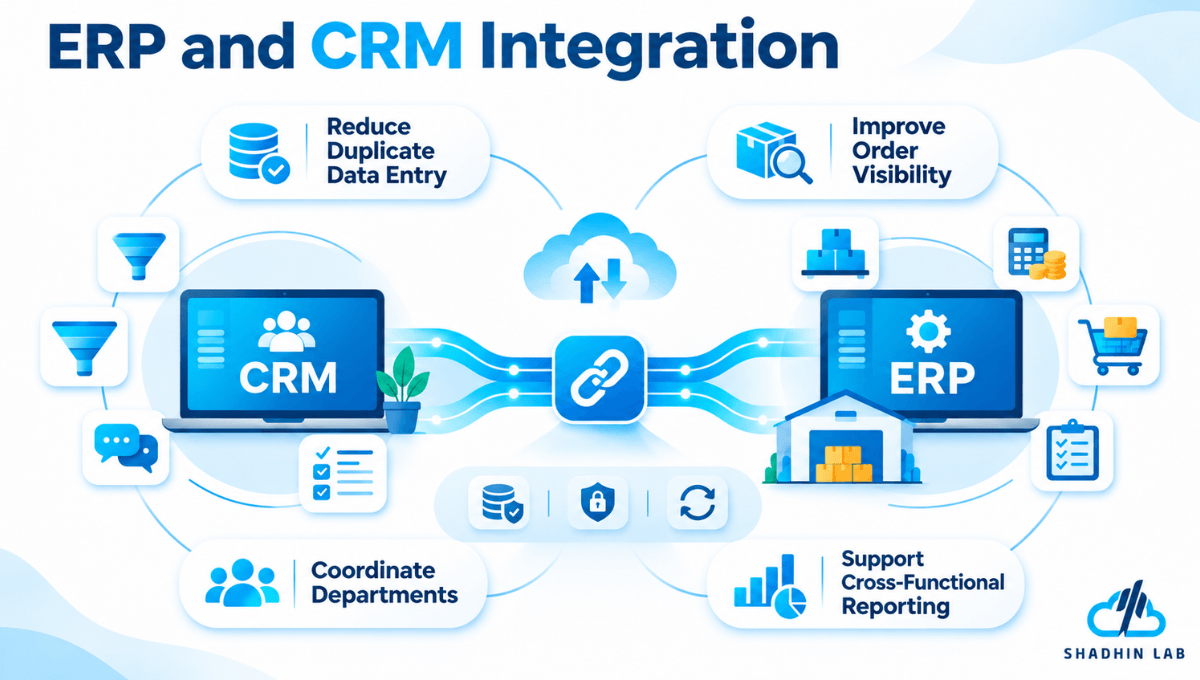
ERP–CRM integration connects relevant customer-facing information with internal operational processes. It can help teams work with shared information instead of relying on repeated manual updates.
How Does ERP and CRM Integration Work?
A typical workflow might begin when a prospect enters CRM through a website inquiry or sales campaign. The sales team manages the opportunity and records the relevant customer information. Once an order is confirmed, selected order data is passed to ERP or another appropriate operational system.
The operational team then manages the relevant inventory, purchasing, fulfillment, and financial workflows. Depending on the integration, sales and customer-service employees may be able to access appropriate order updates when responding to customer questions.
The exact workflow depends on the platforms, available integration methods, and business requirements.
Benefits of ERP and CRM Integration
A well-designed integration can help businesses:
- Reduce duplicate data entry: Transfer relevant information between systems instead of asking employees to enter it repeatedly.
- Improve order visibility: Make appropriate order information available to customer-facing teams.
- Coordinate departments: Connect sales activities with relevant operational processes.
- Reduce record inconsistencies: Establish clearer rules for sharing and updating information.
- Support cross-functional reporting: Make selected customer and operational data available for broader analysis.
What Should Businesses Consider Before Integration?
Integration requires more than a technical connection. Businesses should evaluate system compatibility, available application programming interfaces (APIs) or integration tools, and the quality of existing data.
They also need to decide which system owns each record, how frequently information should synchronize, who can access sensitive data, and how errors will be detected and resolved. Ongoing monitoring and maintenance are important because systems and business processes can change over time.
Integration does not automatically guarantee accurate or consistent information. Its reliability depends on the rules, data, permissions, and workflows supporting it.
Considering connected business workflows? If disconnected applications are creating manual work or limiting access to useful information, an appropriately designed automation or AI solution may help support selected processes between existing systems.
ERP vs CRM Costs: What Should Businesses Consider?
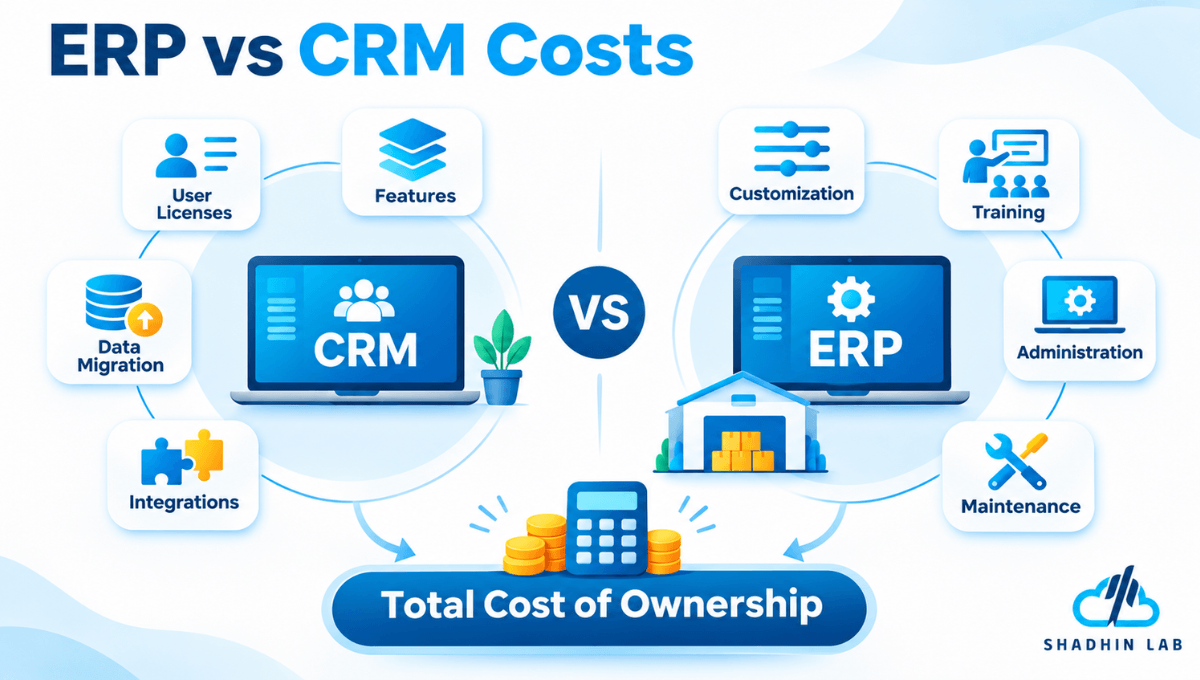
There is no universal rule that ERP always costs more than CRM. Total cost depends on the selected product, number of users, required capabilities, implementation scope, and organizational needs.
CRM Cost Factors
When evaluating CRM, consider user licenses, subscription tiers, and the features included in each plan. Other potential costs include data migration, record cleanup, integrations with existing applications, customization, training, and ongoing administration.
A basic deployment with limited requirements differs significantly from an implementation involving several departments, complex workflows, and multiple integrations.
ERP Cost Factors
ERP costs depend on the modules and users required, process complexity, configuration, and data migration. Businesses may also need integrations, custom development, training, support, and continuing maintenance.
The implementation effort can vary considerably depending on how well the software fits existing operations and how much process change is necessary.
Compare Total Cost of Ownership, Not Just Subscription Prices
A useful comparison includes initial implementation, recurring software fees, integration, employee training, administration, and future changes—not only the advertised subscription price.
A complex CRM implementation can cost more than a relatively straightforward ERP deployment. Request estimates based on your actual workflows and requirements rather than assuming one software category will always be less expensive.
Common Mistakes When Choosing ERP or CRM
Choosing Software Before Defining the Problem
Buying a platform without documenting the underlying workflow can lead to a poor fit. Identify the problem, who experiences it, and what information or process needs to improve before evaluating products.
Assuming One System Will Solve Every Problem
ERP and CRM have different primary purposes. A platform may offer overlapping features, but those features may not replace the specialist capabilities your business needs.
Underestimating Integration and Data Migration
Legacy records, duplicate information, incompatible applications, and unclear data ownership can complicate implementation. Review these issues before committing to a new system.
Ignoring Employee Adoption
Even capable software may fail to deliver its intended value if employees do not understand or consistently use the relevant workflows. Training, clear responsibilities, and practical processes should be part of the implementation plan.
Frequently Asked Questions About ERP vs CRM
What Is the Main Difference Between ERP and CRM?
CRM primarily manages customer relationships, sales activities, and customer interactions. ERP coordinates internal business processes such as finance, inventory, procurement, and operations. Businesses choose between them based on the problems they need to solve.
Can a Business Use ERP and CRM Together?
Yes. A business can use both systems and integrate relevant customer, sales, order, and operational information. The appropriate setup depends on the platforms, workflow requirements, and integration capabilities.
Is Salesforce an ERP or a CRM?
Salesforce is primarily known for its CRM platform and related customer-facing applications. Businesses evaluating specific Salesforce products should check current official product documentation to determine which features and workflows are supported.
Is ERP Better Than CRM?
Neither is universally better. ERP and CRM serve different purposes. CRM is generally more relevant to customer relationships and sales workflows, while ERP is generally more relevant to internal operations and resource coordination.
Do Small Businesses Need ERP or CRM?
A small business may benefit from CRM, ERP, or both. The decision should reflect its sales processes, operational complexity, budget, existing software, and integration requirements—not company size alone.
Does ERP Software Include CRM Features?
Some ERP platforms include CRM functionality or offer connected CRM modules. The depth of these capabilities varies by product, so businesses should compare the actual features they need before deciding whether a separate CRM system is necessary.
Can AI Be Integrated With ERP and CRM?
AI may support tasks such as information retrieval, reporting assistance, forecasting, and workflow automation, depending on the use case and available integrations. Its usefulness depends on data quality, system access, implementation, and human oversight. Businesses should evaluate a specific use case rather than assume AI will automatically improve accuracy, productivity, or revenue.
Conclusion
The difference between ERP and CRM comes down to the business problem each system is designed to address. CRM supports customer relationships, sales activities, and customer-facing workflows. ERP supports internal operations, including finance, inventory, procurement, and order coordination. If your main challenge is missed leads or fragmented customer information, CRM may be the right starting point. If inventory, financial reporting, or operational processes are difficult to coordinate, ERP may be more appropriate. When both areas are affected, evaluate whether using and integrating both systems makes sense. Start with your workflows, existing software, and business requirements before choosing a solution.
Exploring AI-enabled business workflows? If your organization needs to reduce manual work or connect information across existing processes, explore relevant ShadhinLab AI services once the appropriate offering and approved service page have been confirmed.

Abrar Rafid
Abrar Rafid is a Project Coordinator and Content Writer at Shadhin Lab LLC. He coordinates software development projects, manages client and team communication, and oversees project progress. He also creates and reviews professional content for business communication, proposals, and digital platforms.
Related Post
AI Tokens Explained: How They Work and Why They Matter
When you ask an AI chatbot a question, summarize a document, or build an AI-powered application,...
Vibe Coding Security Risks: What to Watch For
Vibe coding makes it easier to build applications by describing what you want and letting AI...
Best AI Agent Builders: 7 Tools Compared
AI agent builders make it possible to create AI systems that do more than answer questions....
